10 Virtual Team Building Activities to Boost Connection in 2026
Discover 10 actionable virtual team building activities to boost morale, connection, and productivity. Perfect for remote and hybrid teams. Find your next idea!
In the world of remote work, the casual 'water cooler' chat has been replaced by scheduled video calls and endless Slack messages. This shift has made intentional team building more critical than ever, yet many leaders struggle with finding activities that aren't just another forced video meeting. The challenge is clear: how do you build genuine camaraderie, trust, and a cohesive culture when your team is spread across different cities, countries, and time zones?
Effective virtual team building activities are not about awkward icebreakers or mandatory fun; they are strategic tools designed to combat isolation, improve communication, and foster a sense of belonging. Moving beyond generic advice, this guide provides a curated collection of specific, actionable activities—from asynchronous challenges that respect global time zones to immersive collaborative games—that you can implement immediately.
Each activity listed below includes practical details to ensure success:
- Objective: The core goal, whether it's building trust, sparking creativity, or simply breaking the ice.
- Time & Group Size: Clear recommendations to help you plan effectively.
- Step-by-Step Facilitation: Actionable instructions to run the activity smoothly.
- Variations: Both synchronous (real-time) and asynchronous (flexible-time) options to suit any team's schedule.
- Measurement: Suggestions for gauging the impact and success of your efforts.
Whether you're a startup hiring your first remote employee or a global enterprise managing a distributed workforce, these proven strategies will help you build a stronger, more connected remote team. For those building such teams, platforms like YayRemote are invaluable, not just for finding top talent but also for providing tools and resources that support a thriving remote-first culture. Let's dive into the activities that will redefine how your team connects.
1. Virtual Coworking Sessions
Virtual coworking sessions are structured time blocks where distributed team members log into a video call to work independently on their own tasks. This simple yet powerful practice recreates the ambient social connection of an office, fostering a sense of presence and accountability without the pressure of forced interaction. Unlike more structured virtual team building activities, the goal here is simply shared, quiet focus.

This approach is highly effective for combating the isolation that can accompany remote work. It provides a low-pressure social outlet and can organically lead to spontaneous conversations, just as it would in a physical workspace. Companies like GitLab and Automattic use these sessions to maintain connection across thousands of distributed employees.
How to Implement Virtual Coworking
To get started, create a recurring calendar event with a dedicated video conference link. The key is consistency, making it a reliable and expected part of the workweek for those who wish to join.
- Objective: Combat isolation, increase accountability, and create ambient social connection.
- Best For: Teams that value focused work but miss the subtle camaraderie of an office.
- Group Size: 2 to 20+ participants.
- Time: 60-90 minutes.
Facilitation Tips for Success
- Find Overlap: Schedule sessions during optimal timezone windows. You can use a free Time Zone Overlap tool to easily identify the best times for your global team.
- Keep It Short: Limit sessions to 90 minutes to prevent video fatigue and maintain focus.
- Cameras Optional: Reduce pressure by making cameras optional. This accommodates different comfort levels and working styles.
- Rotate Times: Consider rotating session times on a monthly basis to give team members in different regions a chance to participate.
- Dedicated Channel: Use a specific Slack or Teams channel for announcements, reminders, and sharing the link to join.
2. Async Video Trivia Competitions
Async video trivia competitions reinvent the classic team quiz for globally distributed teams by removing timezone barriers. Instead of a live event, participants record and submit short video responses to a set of questions. This format allows team members to participate on their own schedule, fostering inclusivity while adding a creative, personal touch to a favorite team-building activity.
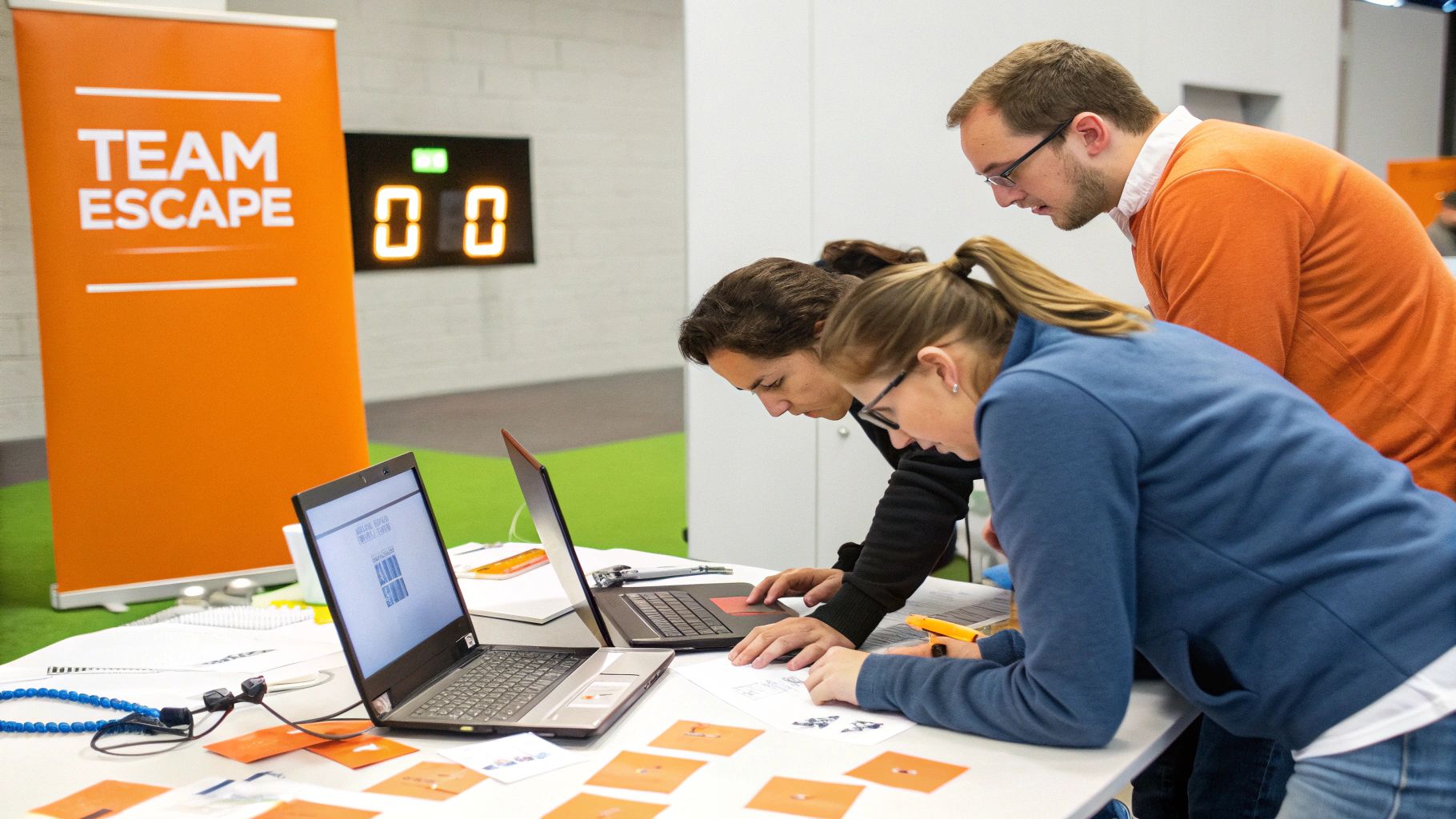
This approach is highly effective for connecting teams spread across multiple time zones, as it doesn't require everyone to be online simultaneously. The video component allows colleagues to see each other's personalities shine. For example, HubSpot runs monthly async trivia with company-specific questions, while ConvertKit has built custom trivia tools directly into their Slack workspace for seamless engagement.
How to Implement Async Video Trivia
Start by creating a set of trivia questions and a clear deadline for video submissions. Use a dedicated communication channel or a simple tool like Loom or a shared cloud drive to collect the video responses. After the deadline, a facilitator compiles the clips, scores the answers, and announces the winners.
- Objective: Promote creative engagement and connection across different time zones.
- Best For: Global teams where synchronous scheduling is a constant challenge.
- Group Size: 5 to 50+ participants.
- Time: 15-20 minutes of individual participation over a 24-48 hour period.
Facilitation Tips for Success
- Keep It Concise: Limit each round to 5-7 questions to respect everyone’s time and encourage participation.
- Set Video Limits: Ask for 30-60 second video responses per answer to keep clips brief and easy to review.
- Mix Question Types: Combine company knowledge, role-specific challenges, and fun general trivia to keep the content engaging for everyone.
- Creative Scoring: Award points not just for correct answers but also for the most creative or humorous video responses.
- Celebrate Winners: Use a company-wide channel like Slack or a newsletter to announce the winners and share a highlight reel of the best video answers.
3. Skill-Sharing Workshops and Expert Talks
Skill-sharing workshops are sessions where team members present on topics they are knowledgeable about, either professionally or personally. These 30-45 minute expert talks transform colleagues into teachers, empowering them to share valuable skills while fostering a culture of continuous learning and mutual respect. This is one of the most productive virtual team building activities for professional development.

This activity elevates team members by recognizing their unique expertise beyond their immediate job descriptions, boosting confidence and engagement. Companies like Notion use this model with their "Notion University" series, where employees lead deep dives, while Calendly hosts weekly "Expert Hours" to build internal knowledge and highlight valuable remote work skills for a resume.
How to Implement Skill-Sharing Workshops
Start by creating a sign-up sheet or a dedicated channel where team members can propose topics they'd like to present or learn about. Establish a regular cadence, such as one or two sessions per month, to make it a sustainable part of your team's culture.
- Objective: Promote peer-to-peer learning, recognize internal talent, and build professional respect.
- Best For: Teams focused on professional development and building a strong learning culture.
- Group Size: 5 to 50+ participants.
- Time: 30-45 minutes per session.
Facilitation Tips for Success
- Create a Calendar: Develop a rolling schedule of presenters to distribute the responsibility and build anticipation for upcoming talks.
- Provide Support: Offer presentation templates, public speaking tips, or a quick coaching session to help first-time presenters feel confident.
- Record Everything: Record all live sessions and upload them to a searchable internal wiki or a dedicated video playlist for asynchronous viewing.
- Incentivize Participation: Offer a small reward for presenters, like a gift card for lunch, a book, or extra PTO, to show appreciation for their effort.
- Optimize Scheduling: Schedule live sessions during core "overlap hours" to maximize attendance across different time zones.
- Allow Asynchronous Options: Let team members contribute by submitting pre-recorded videos or detailed written guides if they are unable to present live.
4. Virtual Game Tournament Series
A Virtual Game Tournament Series elevates simple online gaming into a structured, ongoing competition complete with brackets, scoring, and prizes. Instead of a one-off event, this format builds sustained engagement and friendly rivalry over several weeks or even months. It can involve synchronous live matches or asynchronous leaderboard challenges, making it flexible for global teams.
This approach is excellent for fostering long-term team spirit and creating memorable shared experiences. The competitive yet low-stakes nature encourages communication and strategic thinking. Companies like Riot Games and Discord leverage internal tournaments to connect their game-loving employees, building camaraderie that translates directly back into their collaborative work.
How to Implement a Virtual Game Tournament
Start by selecting a few games that cater to different skill levels and creating a sign-up sheet. Use a shared document or a dedicated platform to manage brackets and track scores transparently. Announce the tournament, the schedule, and the prizes to build excitement.
- Objective: Build long-term engagement, encourage friendly competition, and create shared team memories.
- Best For: Teams that enjoy games and friendly rivalry; suitable for both competitive and casual players.
- Group Size: 8 to 50+ participants.
- Time: Multiple 30-60 minute matches scheduled over several weeks.
Facilitation Tips for Success
- Offer Diverse Games: Include a mix of casual (e.g., Jackbox Games), competitive (e.g., Rocket League), and creative (e.g., Gartic Phone) options to appeal to everyone.
- Use Free or Licensed Games: Minimize cost barriers for participation by choosing free-to-play games or titles available through a company license.
- Structure for Clarity: Establish a clear tournament structure with start and end dates. Use tools like Challonge to create and display brackets for visible progress tracking.
- Include Non-Player Roles: Create roles like commentator, scorekeeper, or emcee to involve team members who prefer not to play directly.
- Create a Buzz Channel: Use a dedicated Slack or Discord channel for real-time commentary, sharing screenshots, and celebrating wins.
- Recognize Winners: Offer meaningful prizes that motivate participants, such as company swag, gift cards, a trophy, or extra paid time off.
5. Async Photo and Content Challenges
Async photo and content challenges are themed activities where team members asynchronously submit creative content like photos, videos, or artwork over a set period. This format allows everyone to participate on their own schedule, showcasing personality and diversity in a low-pressure, creative way. After the submission window closes, the team can vote on their favorites, celebrating individual contributions.
This is one of the most flexible virtual team building activities for global teams, as it bypasses the need for timezone coordination. It fosters a sense of shared experience and reveals hidden talents or hobbies, strengthening personal connections. Companies like Slack and Figma use these challenges to showcase their team's creative side, with themes ranging from pet photos to unique design prompts.
How to Implement Async Challenges
Start by creating a dedicated Slack or Teams channel for the challenge. Announce the theme, rules, and deadlines clearly, then let the creativity flow. The key is making submission and voting as simple as possible to encourage widespread participation.
- Objective: Boost creativity, showcase personalities, and create shared experiences across timezones.
- Best For: Geographically dispersed teams and creative groups looking for a flexible, non-intrusive activity.
- Group Size: 5 to 100+ participants.
- Time: 3-5 days for submissions, plus a day for voting.
Facilitation Tips for Success
- Create Fun Themes: Choose specific, engaging themes that are easy for everyone to participate in, such as "Your WFH Co-worker (Pet Edition)" or "Best Desk Setup."
- Set Clear Timelines: A 3-5 day submission window is ideal to maintain momentum without feeling rushed.
- Centralize Submissions: Use a dedicated channel or a shared Google Drive folder to keep all entries organized and easily viewable.
- Simplify Voting: Use emoji reactions (e.g., a specific emoji for a vote) or a simple poll in your communication tool to make voting lightweight and fun.
- Celebrate Winners: Feature the winning submissions in a company newsletter or all-hands meeting to provide recognition and encourage future participation.
- Rotate Hosts: Allow different team members to choose the theme each week or month to distribute the planning responsibility and keep ideas fresh.
6. Virtual Happy Hours and Casual Networking
Virtual happy hours are informal video gatherings designed purely for socializing, providing a dedicated space for non-work-related conversations. These structured but casual events recreate the spontaneous social moments of an office, allowing team members to connect on a personal level. By setting aside time for casual networking, teams can strengthen bonds and improve morale in a relaxed, low-pressure environment.
This classic remote-work activity is highly effective for fostering a positive company culture and combating feelings of isolation. It gives colleagues a chance to learn about each other's lives outside of project deadlines and status updates. Companies like Zapier use "coffee chats" with rotating pairs to facilitate one-on-one connections, while Buffer hosts themed happy hours to bring its global team together.
How to Implement Virtual Happy Hours
To get started, schedule a recurring 30-45 minute event on the company calendar with a video conference link. The key is to make it clear that attendance is optional and the agenda is purely social, ensuring it remains a fun break rather than another mandatory meeting.
- Objective: Boost morale, build personal connections, and foster a friendly company culture.
- Best For: Teams that need a dedicated space to socialize and decompress without work-related discussions.
- Group Size: 4 to 30+ participants (use breakout rooms for larger groups).
- Time: 30-45 minutes.
Facilitation Tips for Success
- Make it Optional: Emphasize that these events are completely voluntary to avoid adding pressure to your team's schedule.
- Provide a Budget: Offer a small stipend for employees to purchase a drink or snack of their choice, making the event more inclusive and special.
- Use Themes & Prompts: Introduce optional themes (e.g., crazy hat day, favorite vacation background) or use conversation starter prompts to break the ice. This simple structure helps facilitate better communication skills in a casual setting.
- Rotate Times: Schedule the happy hour at different times each month to accommodate team members across various time zones.
- Utilize Breakout Rooms: For larger groups, use breakout rooms to encourage smaller, more intimate conversations, mimicking how people mingle at an in-person event.
7. Collaborative Online Escape Rooms
Collaborative online escape rooms are live, hosted adventures where distributed teams work together to solve a series of puzzles and "escape" a themed digital room within a set time limit. This immersive experience forces team members to communicate clearly, delegate tasks, and combine different perspectives under pressure, making it one of the most engaging virtual team building activities available.
This activity is incredibly effective for strengthening problem-solving skills and highlighting team dynamics in a fun, low-stakes environment. It creates a shared, memorable experience that bonds team members. Companies like Shopify and Microsoft have successfully used virtual escape rooms from vendors like The Escape Game to energize their distributed teams and foster stronger working relationships.
How to Implement Collaborative Online Escape Rooms
To get started, you'll need to book a session with a virtual escape room provider. They will typically provide a live host who guides your team through the game via a video conference link, controlling a real-world camera or sharing an interactive digital interface.
- Objective: Enhance communication, collaborative problem-solving, and team cohesion under pressure.
- Best For: Teams that enjoy puzzles and high-energy challenges; great for quarterly events.
- Group Size: 4 to 8 participants per room for optimal engagement.
- Time: 60-90 minutes (including briefing and debrief).
Facilitation Tips for Success
- Choose the Right Difficulty: Select a room that matches your team's experience and problem-solving style to ensure it's challenging but not frustrating.
- Test Technology Early: Ask everyone to log in 15 minutes before the start time to resolve any audio or video issues and ensure a smooth experience.
- Brief Beforehand: Send out a pre-event email explaining the theme and setting clear expectations for communication and collaboration during the game.
- Schedule a Debrief: Plan a 15-minute call immediately after the escape room to celebrate the outcome, discuss what worked well, and reflect on the collaborative process.
- Budget Accordingly: Given the cost, consider scheduling these as a special quarterly or semi-annual event rather than a monthly activity to maximize impact.
8. Show and Tell / Personal Project Showcases
Show and Tell isn't just for grade school; it's a powerful tool for humanizing remote colleagues. This activity involves team members giving short, casual presentations on their personal projects, hobbies, or passions. By sharing a part of their lives outside of work, colleagues connect on a deeper level, building trust and camaraderie that transcends job titles.
This practice helps colleagues see each other as multifaceted individuals, which is crucial for fostering psychological safety and empathy. Companies like Basecamp use "Personal Wins" sessions for non-work achievements, while Automattic runs "Show and Tell Thursdays" to maintain connection. These simple showcases are among the most effective virtual team building activities for revealing shared interests and sparking new conversations.
How to Implement Show and Tell
Start by scheduling a recurring, optional meeting dedicated to these showcases. Create a simple sign-up sheet or a dedicated Slack channel where team members can volunteer to present. The key is to keep it low-pressure, voluntary, and celebratory.
- Objective: Build personal connections, foster psychological safety, and celebrate individual passions.
- Best For: Teams looking to strengthen interpersonal bonds and see colleagues as whole people.
- Group Size: 5 to 25 participants.
- Time: 30-45 minutes (allows for 2-3 presenters with Q&A).
Facilitation Tips for Success
- Make It Voluntary: Emphasize that participation is optional to ensure authenticity and prevent added pressure.
- Create a Sign-up List: Use a shared document or a dedicated channel for a rolling volunteer list, making it easy for people to claim a spot.
- Set Time Limits: Keep each presentation slot to 10-15 minutes, including time for questions, to keep the session engaging and on schedule.
- Offer Themed Months: Introduce optional themes like 'Hobby Month' or 'Home Projects Month' to inspire ideas and encourage participation.
- Accept Pre-Recordings: Allow team members in difficult time zones or those who are camera-shy to submit a pre-recorded video presentation.
- Celebrate Presenters: Feature the showcases in a company newsletter or team channel to give recognition and encourage future volunteers.
9. Peer Recognition and Kudos Programs
Peer recognition and kudos programs are structured systems where team members can publicly acknowledge and celebrate each other's contributions in real-time. By creating a dedicated space for appreciation, these programs build a culture of gratitude, reinforce company values, and make individual efforts visible across the entire organization, no matter where team members are located.
This virtual team building activity is incredibly powerful for boosting morale and engagement. It directly counters the risk of remote employees feeling unseen or that their hard work goes unnoticed. Companies like HubSpot have custom kudos channels where wins are celebrated daily, while Spotify uses tools like Karma bot for instant recognition within Slack, turning positive reinforcement into a seamless part of the workflow.
How to Implement Peer Recognition
Start by selecting a tool that integrates directly into your team's primary communication platform, such as Slack or Microsoft Teams, to ensure high adoption and ease of use. The key is to make giving and receiving recognition a frictionless and frequent habit.
- Objective: Boost morale, reinforce company values, and increase employee engagement.
- Best For: Teams looking to build a sustainable culture of appreciation and positive reinforcement.
- Group Size: Any size, from small teams to entire organizations.
- Time: Ongoing, asynchronous activity.
Facilitation Tips for Success
- Integrate with Workflows: Use a tool like Bonusly that plugs directly into Slack or Teams. This minimizes friction and embeds recognition into daily communication.
- Align with Values: Establish clear categories for kudos that are directly tied to your company values, such as "Customer Obsession" or "Innovative Spirit."
- Lead by Example: Encourage leadership and managers to be the first and most frequent users of the program. Seeing leaders give kudos sets a powerful precedent.
- Create Monthly Themes: Introduce fun themes like "Collaboration Champion" or "Problem-Solving Pro" to guide recognition and keep the program fresh.
- Celebrate Publicly: Highlight top contributors and great examples of kudos in a weekly summary post or during monthly all-hands meetings.
- Train New Hires: Make an introduction to the kudos program a standard part of your onboarding process for all new team members.
10. Wellness Challenges and Fitness Competitions
Wellness challenges are structured, time-bound programs that encourage team members to focus on their physical and mental health. These competitions can revolve around fitness goals, meditation minutes, healthy eating, or other wellness initiatives, with shared tracking and celebratory milestones to foster a sense of collective achievement.
This type of initiative shows that the company genuinely cares about employee well-being beyond work-related outputs. It creates a supportive environment where colleagues can motivate each other, making it one of the more impactful virtual team building activities for long-term health and morale. Companies like Google and Microsoft use large-scale step challenges to connect global teams around a common, healthy goal.
How to Implement Wellness Challenges
To get started, decide on a theme and duration, then create a dedicated communication channel to share updates, resources, and encouragement. Use accessible apps that employees may already have to make tracking simple and inclusive.
- Objective: Promote employee well-being, reduce burnout, and build supportive relationships.
- Best For: Teams that want to foster a culture of holistic health and mutual encouragement.
- Group Size: 5 to 100+ participants.
- Time: A 4-8 week duration with minimal daily time commitment.
Facilitation Tips for Success
- Offer Variety: Include a mix of challenges, such as step counts, meditation minutes, or water intake, to appeal to different interests and abilities.
- Keep It Optional: Clearly communicate that participation is voluntary and non-judgmental to create a safe and inclusive space.
- Use Accessible Tech: Leverage free apps like Strava or native tools like Apple Health and Google Fit to ensure everyone can easily track their progress.
- Form Teams: Create smaller teams based on departments or let people form buddy pairs. This fosters accountability and friendly competition.
- Celebrate Consistency: Reward participation and consistent effort over pure performance. Acknowledge those who show up regularly, not just the top performers.
- Provide Resources: Share links to free yoga videos, guided meditation apps, or healthy recipes to support participants on their journey.
- Wellness-Oriented Rewards: Offer prizes that align with the challenge’s theme, such as subscriptions to wellness apps, gift cards for healthy meal services, or passes to a local yoga studio.
Virtual Team-Building: 10-Activity Comparison
| Activity | Implementation Complexity 🔄 | Resource Requirements ⚡ | Expected Outcomes 📊 | Ideal Use Cases 💡 | Key Advantages ⭐ |
|---|---|---|---|---|---|
| Virtual Coworking Sessions | Low 🔄 — simple scheduling, minimal facilitation | Minimal ⚡ — video platform & calendar | Improved focus and modest social connection 📊 | Distributed, async-first teams across overlapping timezones 💡 | Cost-effective, low admin, scalable ⭐ |
| Async Video Trivia Competitions | Medium 🔄 — question curation, scoring workflow | Moderate ⚡ — recording tools, editor, scorer | Engagement, culture-sharing, reusable content 📊 | Teams with extreme timezone differences; fun, lightweight bonding 💡 | Timezone-friendly, creates shareable moments ⭐ |
| Skill-Sharing Workshops & Expert Talks | Medium 🔄 — prep, presenter coordination, recording | Moderate ⚡ — presenter time, recording & library storage | Upskilling, knowledge repository, confidence building 📊 | Ongoing professional development and onboarding programs 💡 | Builds team expertise and long-term value ⭐ |
| Virtual Game Tournament Series | High 🔄 — brackets, rules, match scheduling | High ⚡ — game platforms, licenses, admin time | High engagement, camaraderie, competitive bonding 📊 | Gaming-inclined teams or morale-driven events 💡 | Very engaging, memorable team experiences ⭐ |
| Async Photo & Content Challenges | Low 🔄 — theme setup, simple voting | Low ⚡ — file sharing, polls or channels | Showcases personality, creates shareable content 📊 | Inclusive, timezone-agnostic teams seeking low-effort activities 💡 | Low organizational burden; celebrates diversity ⭐ |
| Virtual Happy Hours & Casual Networking | Low–Medium 🔄 — coordination, optional themes | Low ⚡ — video platform, small budget for perks | Genuine social connection; reduces isolation 📊 | Informal socializing and cross-department relationship building 💡 | High social value; easy to run and flexible ⭐ |
| Collaborative Online Escape Rooms | Medium–High 🔄 — vendor coordination, facilitation | High ⚡ — paid vendor, synchronous scheduling | Strong teamwork, memorable shared challenge 📊 | Small teams focused on collaborative problem-solving 💡 | Structured collaboration with clear outcomes ⭐ |
| Show & Tell / Personal Project Showcases | Low 🔄 — volunteer scheduling, short slots | Low ⚡ — meeting space or pre-recording tools | Deeper personal connections; natural conversation starters 📊 | Teams wanting to humanize colleagues and build community 💡 | Builds empathy; low-cost and flexible ⭐ |
| Peer Recognition & Kudos Programs | Medium 🔄 — program design, cultural adoption | Low–Medium ⚡ — integrations (Slack/Teams), possible rewards | Improved morale, retention, visible appreciation 📊 | Organizations prioritizing culture and employee engagement 💡 | Scalable, asynchronous reinforcement of values ⭐ |
| Wellness Challenges & Fitness Competitions | Medium 🔄 — challenge design, tracking, privacy rules | Moderate ⚡ — wellness apps, incentives, admin | Better wellbeing, team support, measurable habit change 📊 | Long-term wellbeing initiatives for large or distributed orgs 💡 | Promotes health, camaraderie, and measurable benefits ⭐ |
Building Your Remote Culture, One Activity at a Time
The journey from a collection of remote individuals to a truly cohesive team is paved with intentional connection. As we've explored, the landscape of virtual team building activities is vast and varied, offering a powerful toolkit for any leader navigating the complexities of a distributed workforce. From the focused energy of Virtual Coworking Sessions to the lighthearted competition of Async Video Trivia, the right activity can transform a standard workday into an opportunity for genuine human interaction.
This list isn't a mandate to do everything. Instead, view it as a menu of possibilities. A successful remote culture isn't built by overwhelming your team with forced fun. It’s cultivated by thoughtfully selecting and consistently implementing activities that resonate with your team's unique personality, goals, and communication styles. The key is to move beyond the mindset of simply checking a box for "team building" and to embrace the goal of fostering authentic relationships.
Synthesizing Strategy: From Activities to Culture
The true value of these exercises lies not in the activities themselves, but in the outcomes they produce. A well-chosen Online Escape Room does more than pass an hour; it sharpens collaborative problem-solving under pressure. A simple Peer Recognition Program creates a powerful, ongoing cycle of appreciation and visibility. It's about looking at the deeper objective.
To make your efforts stick, consider these core principles:
- Consistency Over Intensity: One big event per quarter is less effective than smaller, regular touchpoints. Consistent, low-lift activities like Async Photo Challenges or a dedicated kudos channel build momentum and make connection a natural part of the team's rhythm.
- Feedback is Your Compass: Don't assume you know what your team will enjoy. After an activity, send a quick poll or ask for feedback in your team channel. Use this data to refine your approach, scrap what isn’t working, and double down on what is. This collaborative process also gives your team ownership over their own culture.
- Balance Synchronous and Asynchronous: Not everyone can make a 5 PM happy hour. By mixing live events with asynchronous options, you create an inclusive environment that respects different time zones, work schedules, and personal commitments. This ensures everyone has a chance to participate and feel included.
Your Next Steps to a Stronger Remote Team
Reading this list is the first step, but action is what builds culture. Your immediate task is to transition from ideation to implementation. Start small to build confidence and gather early wins.
- Select One Low-Effort Activity: Choose something from the list that requires minimal setup and budget. A "Show and Tell" segment in your next team meeting or an Async Photo Challenge in Slack are perfect starting points.
- Schedule It Now: Put it on the calendar. Announce it to the team with clear instructions and genuine enthusiasm. The simple act of scheduling makes it real and communicates your commitment to team connection.
- Measure and Iterate: After the activity, gauge the response. Did people seem engaged? What was the feedback? Use these insights to decide whether to repeat the activity or try something new next time.
Ultimately, investing in virtual team building activities is an investment in your company's most valuable asset: its people. These structured moments of non-work interaction are the bedrock of trust, psychological safety, and innovation in a remote setting. They are the moments that turn colleagues into collaborators and collaborators into a community. By deliberately carving out time for connection, you are not just playing games; you are building a resilient, engaged, and thriving remote culture that can weather any storm and achieve remarkable things together.
Ready to build a world-class remote team from the ground up? YayRemote is the premier platform for discovering top-tier global talent that aligns with your company culture. Find, hire, and manage exceptional candidates who are ready to thrive in a connected, remote-first environment by visiting YayRemote today.