8 Top Work from Home Jobs No Calls for 2026
Find the best work from home jobs no calls in 2026. Explore roles like content writing, programming, and SEO that rely on asynchronous communication.
Escape Zoom fatigue. Find your perfect no-call remote job.
If your day feels chopped into tiny pieces by meetings, pings, and surprise calls, you're probably not looking for less work. You're looking for a different kind of work. A lot of people searching for work from home jobs no calls want the same thing: long stretches of focused time, clear written instructions, and fewer interruptions that drain attention before the actual work even starts.
That preference fits a real part of today's remote market. One 2024 analysis estimates that 75 million U.S. employees, or about 56% of the non-self-employed workforce, have jobs compatible with remote work. The same analysis says that during 2023, paid full days worked from home in the U.S. averaged 30% each month, which tells you remote work is still a major part of how companies operate. In practice, many of the best no-call roles sit inside written, asynchronous functions like content, digital operations, data handling, and admin support.
That's the shift that matters. You're not just trying to avoid a headset. You're trying to find a role where email, docs, chat, tickets, and project tools carry most of the collaboration.
If that's you, this guide gets practical fast. It covers eight solid work from home jobs no calls options, plus the part most listicles skip: how to apply in a way that proves you can thrive without constant live communication. If you want a broader look at async-first work habits, you can also explore Voice Control Pro's insights.
1. Freelance Content Writer and Copywriter
Writing is one of the cleanest no-call paths because the deliverable is already text. Clients usually care about deadline, clarity, brand fit, and revision quality. They rarely need you on a call if your brief is strong and your drafts are clean.
That's why content writing stays near the top of the list for work from home jobs no calls. Blog posts, landing pages, email sequences, product pages, case-study drafts, ghostwritten LinkedIn posts, and help-center articles can all move through Google Docs, Notion, ClickUp, Trello, or Asana without much synchronous discussion.

How to make yourself hireable fast
Most new writers apply with a generic resume and no proof. That usually fails. A better move is to create three to five strong samples in one niche, then package them like a service.
Good examples of starter niches:
- SaaS blog writing: Product explainers, comparison posts, onboarding content
- Ecommerce copy: Product descriptions, category pages, lifecycle emails
- B2B thought leadership: Founder posts, newsletter drafts, sales enablement content
- SEO content: Structured articles built around search intent and internal linking
Use Medium, your own site, or a polished LinkedIn featured section. If you're applying for an in-house role on a platform like YayRemote, tailor your portfolio to the company's actual format. If they publish product-led blogs, don't send lifestyle essays.
Practical rule: Your application should read like async work itself. Clear subject line, concise intro, link to relevant samples, short note on process, and no rambling.
What works better than “I'm a strong writer”
Say how you work. Hiring managers for no-call roles want evidence that you don't need hand-holding.
Try points like these in your application:
- Brief handling: “I turn loose briefs into outlines with assumptions flagged up front.”
- Revision control: “I track revisions in docs and keep decision history in comments.”
- Tool fluency: “Comfortable in Google Docs, Notion, Grammarly, and CMS workflows.”
- Deadline discipline: “I send status updates asynchronously before blockers become delays.”
Real-world scenario: a startup marketing team needs two landing pages, four nurture emails, and a feature announcement. The writer who wins isn't always the most creative one. It's often the one who can work from a brief, ask sharp written questions, and deliver clean drafts without chasing meetings.
2. Virtual Assistant for Email and Admin Tasks
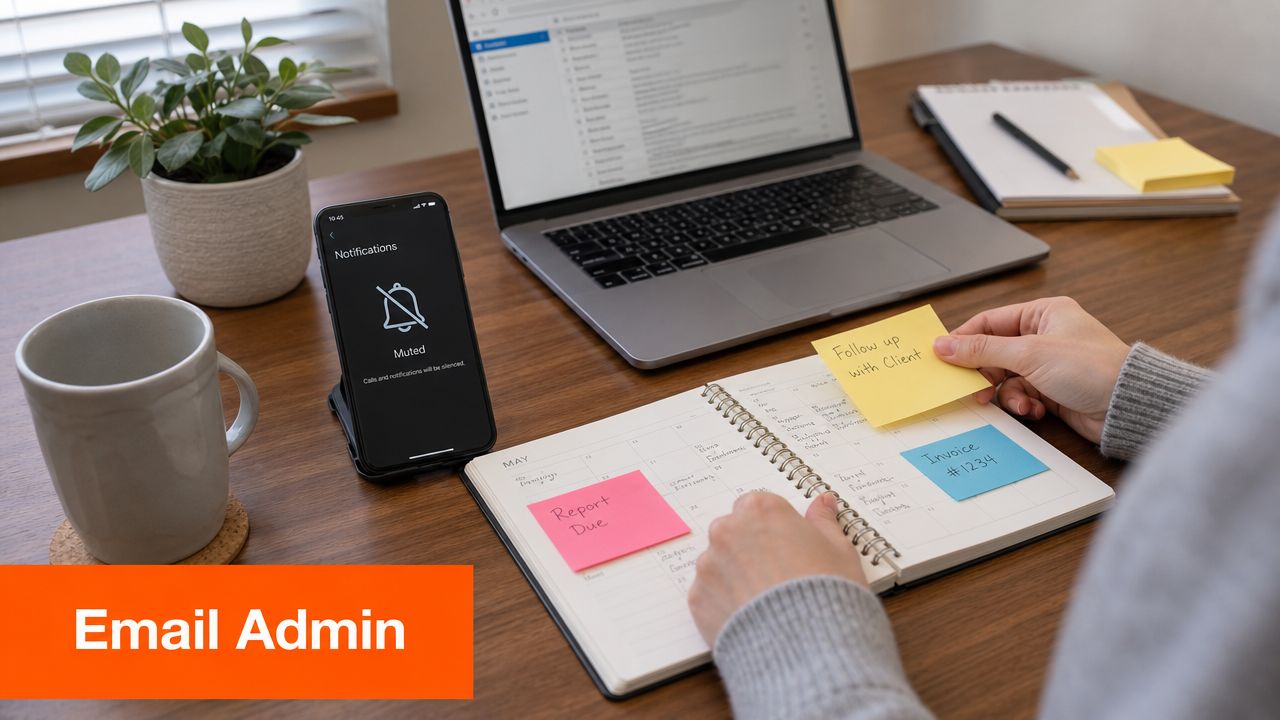
Virtual assistant work can be very no-call friendly if you choose the right client and the right scope. The trap is assuming all VA roles are quiet. They aren't. Some are basically phone support in disguise. Others are true back-office operations roles built around inboxes, spreadsheets, docs, and recurring tasks.
The categories most often associated with non-phone remote work include virtual assistance, data entry, writing, transcription, graphic design, online chat support, and website testing. That matters because it shows no-phone work isn't hidden away on obscure freelance sites. It's visible in mainstream hiring channels.
The best version of this role
The strongest no-call VA setup looks like this: one founder, consultant, creator, recruiter, or small operations team hands you repeatable tasks that can be documented once and handled repeatedly.
That usually includes inbox triage, calendar adjustments, CRM cleanup, travel research, invoicing follow-up, file organization, and light customer response handling through email or chat.
A lot of this work becomes easier once you automate the boring intake. If you manage repetitive email-based workflows, Eliminate manual data entry by using parsing tools to pull key details from incoming emails into structured systems.
How to apply without sounding generic
Don't pitch yourself as “organized and detail-oriented.” Every VA says that. Show the systems you use.
Use a short section in your application like this:
- Inbox management: Labels, triage rules, canned replies, escalation rules
- Calendar handling: Buffer rules, timezone checks, booking links, conflict review
- Admin stack: Google Workspace, Microsoft 365, Notion, Airtable, Zapier, password managers
- Documentation: SOP writing, recurring checklists, handoff notes, permissions tracking
A no-call VA gets hired when the client can picture fewer loose ends and fewer “just checking in” messages.
Real-world example: an ecommerce founder doesn't need another meeting attendee. They need someone to clean up order exceptions, update a return sheet, respond to standard email issues, and keep docs current. If you present yourself as a process operator instead of a helper, you're much easier to trust.
3. Transcriptionist and Data Entry Specialist
These jobs are narrow, repetitive, and often underrated. They also fit people who prefer quiet work with clear output. If you like defined tasks, measurable accuracy, and predictable workflows, transcription and data entry are legitimate work from home jobs no calls options.
They also show up repeatedly in guidance on no-phone remote work. Common categories include data entry, transcription, chat support, virtual assistance, and website testing, and employers often emphasize reliability, high-speed internet, multitasking across systems, and measurable performance around accuracy or deadlines.
The trade-off nobody should ignore
This work is accessible, but it can become monotonous fast. It's a good fit if you value structure more than variety. It's a bad fit if you need creative stimulation every hour.
Transcription demands listening accuracy, formatting discipline, and patience with messy audio. Data entry demands consistency, file handling, attention to detail, and comfort moving between tabs, PDFs, spreadsheets, and internal systems.
A practical setup usually includes good headphones, a stable keyboard, a second monitor if possible, and a simple naming system for files and revisions.
How to stand out in applications
Employers hiring for these roles often scan for operational reliability. Give them that directly.
- Accuracy focus: Mention proofreading habits, QA checks, or error-tracking routines
- Speed awareness: Include typing comfort and familiarity with repetitive-entry workflows
- File discipline: Reference naming conventions, version control, and secure handling
- Tool readiness: Mention Excel, Google Sheets, PDFs, forms, and transcription software if you use it
If you're moving into transcription, it helps to learn the actual workflow before applying. This step-by-step audio transcription guide gives a practical overview of how audio becomes editable text.
Clean output beats fast output when employers are screening beginners. Speed matters later. Trust matters first.
Real-world scenario: a legal support team has scanned records, audio interviews, and intake forms to process. They don't want someone who “learns quickly” in the abstract. They want someone who can follow formatting rules, flag unclear sections, and submit work without creating cleanup for someone else.
4. SEO Specialist and Technical SEO Consultant
SEO is a strong no-call role because much of the work happens inside audits, spreadsheets, dashboards, briefs, and written recommendations. You investigate what's broken, what's underperforming, and what needs to change. Then you document it clearly enough that content teams, developers, or marketing managers can act on it.
This role fits people who like analysis more than persuasion. If you'd rather solve indexing issues, content gaps, internal-linking problems, metadata inconsistencies, or page structure flaws than jump on status calls all day, SEO can be an excellent fit.
What the daily work actually looks like
A practical SEO workload often includes keyword mapping, content brief creation, title and meta review, crawl checks, redirect reviews, competitor comparisons, schema recommendations, and performance reporting. Tools vary, but many people work inside Google Search Console, Google Analytics, Ahrefs, Semrush, Screaming Frog, and Sheets.
The async advantage is obvious. A good SEO doesn't need to explain every recommendation live. They need to leave strong documentation that survives handoffs.
That means your writing matters almost as much as your analysis. Weak analysts produce weak insight. Weak writers produce ignored insight.
How to apply for SEO roles on a no-call basis
Don't just say you know SEO. Show your reporting style. One sample audit is worth more than a vague claim.
A strong application usually includes:
- One audit sample: Homepage, blog section, or product category analysis
- One brief: Structured content brief with intent, subtopics, and internal-link ideas
- One prioritization example: What you'd fix first and why
- One collaboration note: How you document recommendations for writers or developers
If you search on YayRemote, use category filters such as Marketing or Data first, then narrow results with keywords like “SEO,” “content strategist,” “search,” “organic,” or “technical.” For no-call preferences, the job description matters more than the title. Look for roles that mention documentation, async collaboration, briefs, reporting, and cross-functional written handoffs.
Real-world example: an ecommerce brand may have product pages that rank poorly because templates are thin, internal linking is weak, and metadata is duplicated. A solid SEO consultant can audit those patterns and deliver a written implementation plan without needing to become the loudest person in a meeting.
5. Graphic Designer
Design is often quiet work until the feedback process gets messy. The role itself fits async collaboration well. Bad client management is what turns it into a call-heavy job.
Strong remote designers build systems that force clarity early. They use written briefs, annotated examples, Figma comments, clear revision boundaries, and delivery checklists. That's what keeps graphic design in the category of good work from home jobs no calls, especially for people with a portfolio and a process.

What good async design work looks like
The easiest projects to run without calls are usually social graphics, ad creative, presentation design, email banners, simple landing page mockups, and template systems. Branding projects can also work well if the brief is detailed and the decision-maker is decisive.
The hardest projects are the ones where nobody agrees on the goal. If five stakeholders all leave scattered feedback, you'll spend more time interpreting comments than designing.
That's why a design brief should ask for:
- Business goal: What the asset needs to achieve
- Format details: Dimensions, platform, file type, deadlines
- Visual direction: Examples, brand rules, do-not-use notes
- Approval path: Who signs off, who comments, who consolidates edits
Field note: Designers who control the brief usually reduce revision chaos.
How to position yourself better than “creative and detail-oriented”
Show your workflow in your portfolio. Include the brief, first draft, revision comments, and final asset if confidentiality allows. Hiring teams want to see how you think, not just pretty outcomes.
Later in the process, a simple asynchronous review video can help. This walkthrough gives a useful visual break for design candidates thinking about remote creative work:
Real-world scenario: a SaaS team needs webinar slides, launch graphics, and a refreshed PDF guide. The designer who wins often has fewer “vision” buzzwords and better process. They ask for source files, timeline, brand kit, examples, and approval owner before they open Figma.
6. Programmer and Software Developer
If any role naturally supports asynchronous work, it's software development. The output is code, tickets, tests, pull requests, comments, and documentation. Calls can happen, but they don't have to drive the whole day.
This is one reason developer roles remain a core target for people who want work from home jobs no calls. Repositories, issue trackers, CI logs, code reviews, and written architecture notes already form the backbone of collaboration.
Why some remote dev jobs still feel call-heavy
Not every engineering team is async-friendly just because it's remote. Some companies replace office interruptions with endless standups and “quick syncs.” That's not a role problem. It's a company-operating-style problem.
When you evaluate listings, look for signals like written specs, pull request culture, documented onboarding, ticket-based planning, and timezone-aware collaboration. Be cautious if the posting overemphasizes constant availability, daily live collaboration, or “high-energy communication.”
The practical implication of text-first workflows matters here too. On major job boards, Indeed surfaces 3,455 remote openings tagged “No Phone Calls,” and region-specific searches still return hundreds of listings. That points to real employer demand for asynchronous systems like email, ticketing, and chat queues rather than live voice handling.
How developers should apply differently
Your resume won't carry this by itself. Your GitHub, project documentation, and commit history matter.
A strong application package often includes:
- Repository quality: Clear README, setup steps, screenshots, useful commit history
- Async communication proof: Good issue comments, pull request notes, architecture summaries
- Problem framing: Brief explanation of trade-offs in a side project
- Stack clarity: One main stack you're strong in, plus surrounding tools you can use productively
Real-world example: a distributed startup needs a frontend developer to improve onboarding flows. The best candidate doesn't just say “React developer.” They show a working project, document decisions, and communicate edge cases well in writing. That's what reduces the team's need for live clarification.
7. Email Marketing Specialist
This is one of the most naturally asynchronous marketing jobs because both the work and the channel are written. You're planning sequences, drafting campaigns, building segments, testing subject lines, cleaning automations, and reporting results inside tools rather than on calls.
It's also a role where process is visible. Teams can see your flows, your logic, your templates, and your campaign notes. If you're organized, that creates trust fast.
Where this role fits best
Email marketing tends to be strongest in ecommerce, SaaS, education, creator businesses, and subscription products. The day-to-day work can include campaign calendars, nurture sequences, lifecycle automation, list hygiene, template updates, and analytics summaries.
Platforms vary by company. Common ones include Mailchimp, Klaviyo, ConvertKit, ActiveCampaign, HubSpot, and Customer.io. The best no-call setups give you a content calendar, brand voice guidance, audience segments, and clear owners for approvals.
This role works especially well for people who have some overlap between writing and systems thinking. You don't need to be a pure copywriter. You do need to think clearly about timing, audience state, message hierarchy, and follow-up logic.
How to prove async strength in your application
Show systems, not adjectives. A hiring manager wants to know whether you can run a campaign without needing live rescue.
Include examples like:
- Campaign planning: Editorial calendar or launch sequence outline
- Automation logic: Welcome flow, abandoned-cart flow, or post-demo follow-up map
- Reporting style: Short written summary of what changed and what needs testing next
- Platform fluency: Screenshots or sanitized examples from builders and dashboards
One caution matters here. Lots of “no calls” roles still involve communication, just not phone-heavy communication. That distinction comes up often in real listings and role walkthroughs. Some positions marketed as non-phone still involve email, chat, social media messaging, and occasional virtual meetings, as noted in this discussion of the gap between no phone, no calls, and no meetings.
If you want low-call work, say that. If you want no meetings at all, screen for that separately.
Real-world scenario: a course creator wants a launch sequence, evergreen welcome flow, and re-engagement emails. They don't need another brainstorm partner on daily calls. They need someone who can write, build, test, and document the system.
8. Proofreader and Editor
Editing is one of the clearest examples of a role where written communication is the work. You're reviewing language, structure, tone, consistency, and accuracy directly inside documents. That naturally limits the need for live discussion.
This role is a good fit if you notice awkward phrasing immediately, care about standards, and don't mind being the person who catches what everyone else missed. It also rewards specialization. Editing academic papers is different from editing SaaS blog content. Copyediting a novel is different from proofreading a sales page.
What gets editors hired
Most clients and employers don't care that you “love grammar.” They care that you can improve a document without flattening the writer's voice or creating confusion in the revision cycle.
The strongest editors usually show:
- Niche fit: Academic, fiction, B2B content, ecommerce, technical docs
- Style guide fluency: AP, Chicago, APA, internal brand rules
- Markup discipline: Tracked changes, comments, rationale, revision boundaries
- Turnaround reliability: Clear deadlines and clean version control
A before-and-after sample helps a lot. So does a short note explaining why you made the edits you did.
The practical downside
Editing can become invisible work. If a draft is clean, people think it “just looked good.” If a draft is rough, they sometimes expect miracles on a rushed deadline. That means you need firm scope and revision rules.
When you apply, make your process concrete. Mention how you handle first pass, query comments, style-sheet notes, final polish, and version naming. That tells hiring teams you won't create confusion.
Real-world example: a content agency has multiple writers contributing to one client account. Tone drifts, formatting varies, and facts need checking. A strong editor becomes the quality control point through tracked changes and written notes, not through constant meetings.
No-Call Remote Jobs: 8-Role Comparison
| Role | Implementation Complexity 🔄 | Resource Requirements ⚡ | Expected Outcomes ⭐📊 | Ideal Use Cases 💡 | Key Advantages |
|---|---|---|---|---|---|
| Freelance Content Writer & Copywriter | Medium 🔄, writing + research, SEO basics | Low ⚡, laptop, editing & SEO tools | ⭐⭐ 📊, traffic, leads, content assets with measurable metrics | Blogs, email campaigns, sales pages | Flexible schedule; scalable; niche premium rates |
| Virtual Assistant (Email & Admin Tasks) | Low 🔄, routine, process-driven | Low ⚡, task managers, email, basic automation | ⭐ 📊, operational efficiency, task completion | Inbox management, scheduling, admin workflows | Easy entry; predictable tasks; multiple clients |
| Transcriptionist & Data Entry Specialist | Low-Medium 🔄, accuracy and consistency | Low ⚡, quality headphones, transcription software | ⭐ 📊, accurate transcripts/data with clear deliverables | Podcasts, interviews, medical/legal records | Straightforward deliverables; flexible pacing |
| SEO Specialist & Technical SEO Consultant | High 🔄, technical audits, strategy, analysis | Medium ⚡, Ahrefs/SEMrush, analytics, reporting tools | ⭐⭐⭐ 📊, long-term traffic growth & measurable ROI (months) | E‑commerce, SaaS, content-heavy sites | High earning potential; clear, data-driven impact |
| Graphic Designer (Remote Portfolio-Based) | Medium-High 🔄, creative process + client revisions | Medium ⚡, design software, tablet, portfolio site | ⭐⭐ 📊, visual assets that improve engagement/brand | Branding, social assets, presentations | Creative work; multiple income streams; visual portfolio |
| Programmer & Software Developer | High 🔄, complex problem solving, architecture | Medium ⚡, dev tools, cloud environments, learning resources | ⭐⭐⭐ 📊, product/features with high business value | Web apps, SaaS, integrations, tooling | Top earnings; strong demand; measurable code output |
| Email Marketing Specialist | Medium 🔄, strategy, segmentation, testing | Low-Medium ⚡, ESPs (Klaviyo, ConvertKit), analytics | ⭐⭐⭐ 📊, direct ROI via opens/clicks/conversions | E‑commerce, SaaS, funnels, newsletters | Measurable ROI; scalable automation; high impact |
| Proofreader & Editor | Low-Medium 🔄, language rules, careful review | Low ⚡, word processor, style guides, editing tools | ⭐⭐ 📊, polished, readable content; fewer errors | Books, articles, academic papers, marketing copy | Low startup cost; clear deliverables; niche specialization |
Your Next Step to a Quieter Workday
Finding work from home jobs no calls isn't really about hiding from communication. It's about choosing work where communication leaves a record, respects focus, and supports better output. For a lot of people, that means fewer calls, fewer interruptions, and a much better chance of doing their best work.
The biggest mistake I see is applying to these roles as if “no calls” is the only value. It isn't. Employers don't hire someone because they dislike meetings. They hire someone who can function well without being managed in real time. That's the essential skill to present.
So make your application prove that point. Write a short, clean cover note. Use clear filenames. Link directly to relevant work. Show documentation habits. Mention the tools you already use for async collaboration, whether that's Notion, Google Docs, Figma, GitHub, Trello, Asana, Airtable, or a help-desk system. If you've ever created an SOP, revision log, launch checklist, or structured handoff note, that belongs in your application materials.
Be precise when you screen jobs, too. “No phone” doesn't always mean no live communication. Some roles are mostly email and chat, with occasional team meetings. Others still sit close to call-center workflows even if the title sounds quieter. Read the posting line by line. Look for phrases that suggest real asynchronous work: written briefs, ticket-based support, documentation, dashboards, project boards, comments, reviews, and deadline-driven deliverables. Be wary of phrases like high call volume, constant client communication, outbound outreach, or fast-paced phone environment.
If you use YayRemote, don't just browse casually. Start with the category that matches your actual skill set, like Engineering, Marketing, Data, or Product. Then narrow with keywords such as “content writer,” “editor,” “SEO,” “email marketing,” “designer,” “virtual assistant,” or “support,” and read each listing for communication expectations. That's the practical way to find roles that fit your working style instead of forcing yourself into a setup that burns you out.
A quieter workday is possible. The best route isn't chasing “easy” jobs. It's choosing roles where written communication, independent execution, and strong systems already matter, then presenting yourself as someone who's built for that environment from the first click.
If you want a practical place to start, browse YayRemote by category, then filter down to roles that match your skills and communication style. The platform also includes tools like an ATS Resume Checker and Skills Analyzer, which can help tighten your application before you send it.