How to Improve Communication Skills for Remote Work Success
Learn how to improve communication skills for remote work. Get proven strategies for async, written, and real-time communication to advance your career.
When you're working remotely, your ability to communicate isn't just a soft skill—it's the bedrock of your career. Without the shared context of an office, every word you write and every comment you make on a call carries so much more weight.
The simple formula for getting better is to first figure out where you stand, then deliberately practice the right techniques, and always be open to feedback. This guide is built to walk you through that exact process. We'll focus on what actually moves the needle: mastering clear async updates, projecting confidence on video, and proving your value when it matters most.
Why Communication Is Your Most Valuable Remote Skill

Here's the reality of remote work: you lose all the subtle, in-person cues we've relied on for our entire professional lives. There are no more quick desk-side chats, no overhearing a key conversation, and no reading body language in a conference room.
Everything is filtered through a screen. Your Slack messages, emails, and video calls become the sole representation of your competence, clarity, and professionalism.
This isn't just a minor shift; it fundamentally changes the game. Top remote companies know this. They aren't just looking for people who can do the job; they're looking for people who can communicate about the job exceptionally well.
The Staggering Cost of Getting It Wrong
The numbers don't lie. Miscommunication and poor communication habits cost U.S. businesses an eye-watering $1.2 trillion every year. That breaks down to an average loss of $12,506 per employee.
And for distributed teams, the problem is even more acute. A recent survey showed that 90% of business leaders believe remote work demands a higher level of communication skill from their teams.
It all points to one unavoidable conclusion: if you want to succeed in a remote career, your ability to articulate ideas, give clear updates, and connect with colleagues virtually is non-negotiable.
In a distributed team, you are your words. Your written updates, your contributions on calls, and your ability to listen actively define your reputation and your effectiveness. Great communication isn't just about avoiding misunderstandings; it's about building influence and trust from a distance.
To truly excel, you need to become intentional about how you communicate across the three core pillars of remote work.
Three Pillars of Remote Communication Excellence
| Pillar | What It Is | Why It Matters for Remote Work |
|---|---|---|
| Written Communication | Crafting clear, concise, and actionable text-based messages (e.g., email, Slack, project updates). | It's the default for async work. Clarity prevents delays, reduces unnecessary meetings, and creates a permanent record. |
| Verbal (Synchronous) Communication | Speaking effectively in real-time conversations, primarily through video calls and virtual meetings. | This is where you build rapport, solve complex problems collaboratively, and demonstrate leadership and confidence. |
| Non-Verbal Communication | Conveying meaning through digital body language, tone, and presence on video calls. | It fills the gap left by physical presence, helping build trust and ensuring your intended meaning comes across clearly. |
This guide gives you a practical roadmap to improve across all these areas.
Your Plan for Actionable Improvement
Knowing you need to get better is one thing; having a concrete plan is another. Here’s exactly what we're going to cover to help you build the skills that matter.
- Mastering Asynchronous Updates: You'll learn how to write with purpose so colleagues in any time zone can understand and act on your messages without a single follow-up question.
- Excelling in Virtual Interactions: We'll show you how to gain confidence on camera, practice genuine active listening, and make every contribution count.
- Communicating Your Value: We'll dive into how you can stand out during the remote hiring process, from crafting a resume that gets noticed to acing your virtual interviews.
Improving these skills is a fundamental part of thriving in a distributed team. As you work through this guide, you can also explore other remote work best practices to build a truly resilient career. Let's get started.
Mastering Written and Asynchronous Communication

When you work remotely, your writing isn't just a task—it's your reputation. Every Slack message, project update, and email is a building block of how your colleagues and managers perceive you. This is the heart of asynchronous communication: moving work forward across different time zones without needing everyone in a meeting at once.
Getting this right is what separates high-functioning distributed teams from the ones that struggle. When you master clear, purposeful writing, you slash misunderstandings, build trust with people you rarely speak to, and win back hours that would otherwise be wasted in follow-up meetings.
The goal is simple: write so clearly that your message is understood on the first read. Your teammates should be able to act on it immediately, no questions asked.
Start With Purpose and Clarity
Before you even start typing, ask yourself one critical question: "What do I need this person to do or understand after reading this?" That answer is your north star. Every single sentence you write should serve that purpose. Anything else is just noise.
This isn't just about sharing information; it’s about driving a specific outcome.
For example, a vague Slack update like, "Made progress on the Q3 report," is dead on arrival. It’s useless. An update with purpose, on the other hand, is instantly actionable: "The first draft of the Q3 report is done and in the shared drive. Please add your feedback to the Google Doc by 4 PM PST on Thursday so I can finalize it Friday."
Good asynchronous communication isn't about writing more; it's about writing with surgical precision. It respects your colleagues' time by giving them exactly what they need to know and do, without forcing them to hunt for the point.
Structure Your Messages for Scannability
Let's be honest: nobody reads walls of text. In a remote environment, we're all swimming in information, so we scan. Your job is to make your writing easy to scan by using formatting to guide your reader’s eye to the most important bits.
Here are a few tricks I’ve learned to make messages instantly digestible:
- Use Bold for the Bottom Line: Draw immediate attention to deadlines, action items, or critical decisions. For example, "Action needed: Please approve the new mockups by EOD."
- Break It Down with Bullets: If you have multiple steps, questions, or points, use a bulleted list. It's so much easier to process than a long, rambling sentence.
- Use Headings in Longer Docs: For project plans, wikis, or detailed updates, use clear headings and subheadings. This creates a built-in table of contents, letting people jump straight to what they need.
These small formatting habits can turn a frustrating message into a helpful resource. When you pair them with the right tools for remote work, you can drastically cut down on team friction and boost efficiency.
Know When to Write and When to Meet
One of the most common mistakes I see in remote teams is defaulting to a meeting when a well-written message would have been faster and more effective. You have to know when each format works best.
A detailed written update is the perfect tool for things like:
- Sharing status reports: This creates a written record that people can read on their own schedule.
- Asking for feedback on a document: It gives reviewers time to think through their comments without the pressure of a live call.
- Announcing a decision: It ensures everyone gets the exact same information, clearly and concisely.
This is especially important when you’re working across several time zones. Knowing your team's availability is the key to deciding if something needs a call right now or if it can be handled asynchronously.
For instance, a tool like YayRemote’s Time Zone Overlap shows you at a glance the best windows for a real-time conversation.
Seeing that overlap helps you respect everyone’s work-life balance. You can choose the right tool for the job: a meeting during shared hours or a detailed async message if there's no good time to connect live. That small bit of thoughtfulness goes a long way in building a strong remote culture.
Mastering the Art of Real-Time Virtual Calls

While smart async communication keeps a remote team running, those live video meetings are where the magic really happens. It's where you build trust, hash out complex problems, and make the big decisions. In these moments, your ability to listen, speak with clarity, and project confidence is what sets you apart. Showing up isn't enough anymore; you have to be truly present.
Getting better at this isn't about some dramatic transformation into a world-class orator. It’s about small, intentional habits that show you're engaged, professional, and respectful of everyone's time. This is a skill that has a direct, measurable impact on your career and your team's success.
Think about it: U.S. hiring managers consistently rank verbal communication as the most critical skill—often even more so than technical expertise. And it doesn't stop there. After you're hired, research shows 85% of workers perform better when they feel their contributions are actually heard. This creates a clear line between great dialogue and real professional growth. If you're curious, you can dig into more communication in the workplace statistics to see the full picture.
Projecting Confidence and Clarity on Camera
Before you utter a single word, your on-camera presence is already speaking for you. A few simple tweaks to your setup can completely change how you come across, signaling that you value the meeting and your colleagues' time.
First, let's nail the technicals. Get your camera to eye level. Looking down at a laptop screen makes you appear distant, and nobody loves that up-the-nostrils angle. Then, make sure your face is lit from the front. Backlighting turns you into a silhouette, hiding the facial expressions that are crucial for connection.
With that sorted, turn your attention to your digital body language:
- Look at the camera, not yourself: When you speak, look into the camera lens. It’s the virtual equivalent of making eye contact and makes others feel like you're talking directly to them.
- Sit up straight: Good posture projects energy and confidence. Slouching or leaning way back can easily be mistaken for boredom.
- Use natural gestures: Don't be a statue. Using your hands to emphasize points makes you appear more dynamic and engaged. Just don't go overboard and become a distraction.
These little things compound to create a professional presence that naturally commands respect and builds rapport.
The Power of Genuine Active Listening
One of the most underrated skills in any setting, but especially on a video call, is making people feel genuinely heard. This takes a lot more conscious effort when you're not in the same room. It's the difference between just waiting for a gap to talk and actually absorbing what someone is trying to communicate.
Here’s a simple but incredibly effective technique I rely on: pause and paraphrase. Before you jump in with your response, take a breath. Briefly summarize what you just heard to make sure you've got it right.
It can be as simple as, "So, if I'm understanding you correctly, the real holdup is the API response time, not the database query. Is that right?"
This simple act does a few powerful things: it confirms you were paying attention, validates the other person's contribution, and dramatically cuts down on misunderstandings. It forces the conversation to be more deliberate and keeps the team from talking past each other.
How to Contribute Without Dominating the Conversation
Knowing when to speak is just as important as knowing what to say. On video calls, it’s an art form. The goal is to add value, not just be the loudest person in the virtual room. Interrupting is a common misstep, and it's made even worse by the slight lag on most video platforms.
Get comfortable using the "raise hand" feature or simply waiting for a natural pause before you chime in. When it's your turn, get straight to the point. Instead of thinking out loud, try to structure your contribution.
Here’s a quick framework I find helpful: first, acknowledge the point you're building on ("I agree with Maria's point about the user experience."). Then, add your new perspective ("Building on that, what if we also added a tooltip for new users?"). Finally, ask a question to open the floor back up ("How does that approach sound to everyone?").
This method ensures your comments are seen as helpful and collaborative, not disruptive. It’s a game-changer for making a real impact in every meeting you attend.
Communicating Your Value in the Hiring Process
From the moment you hit "submit" on a remote job application, you're being evaluated on your communication skills. Every single interaction—from your resume to your final interview—is an audition. This is your chance to prove you're not just a great candidate for the job, but a phenomenal communicator who will be an asset to a distributed team.
It all begins long before you ever speak to a hiring manager. Think of your resume and cover letter as your opening act. They need to do more than just list what you’ve done; they need to tell a compelling story about the value you bring to the table.
Crafting a Standout Application
Your resume is, first and foremost, a communication tool. Is it clear? Is it scannable? Most importantly, does it focus on results? Ditch the dense paragraphs that bury your accomplishments. Instead, use sharp, action-oriented bullet points that show your quantifiable impact.
For instance, don't just say you "managed social media." That tells me nothing. Try this instead: "Grew social media engagement by 35% in six months by rolling out a new content strategy centered on user-generated videos." See the difference? The second version proves your skill by showing the tangible result.
This is also your first opportunity to signal you're ready for remote work. Weave in phrases like "asynchronous communication," "cross-functional collaboration," or "distributed teams." This shows both automated screening tools and human recruiters that you speak their language. For more ideas on this, check out our guide on adding communication skills to your resume.
Telling Your Story in the Interview
Once your application gets you in the door, the interview is where you bring those skills to life. You’re moving from listing your skills to demonstrating them through storytelling. The best framework I've found for this is the STAR method (Situation, Task, Action, Result). It gives you a simple, powerful structure for answering those tricky behavioral questions, like "Tell me about a time you had to sort out a miscommunication."
Here’s how you can put it into practice:
- Situation: "In my last role, a key project update went out with a vague deadline, which created a lot of confusion across our team spread over three different time zones."
- Task: "I knew I needed to clarify the timeline immediately and get everyone aligned without derailing the project."
- Action: "I jumped in and created a shared document with a clear, color-coded timeline. I listed out every action item with an owner and posted a summary in our main Slack channel, making sure to tag everyone involved."
- Result: "The whole team was on the same page within an hour. We hit our deadline, and that format became our new standard for project updates, cutting down clarification messages by roughly 50%."
A story like that does so much more than just answer the question. It proves you're a proactive problem-solver who can improve processes—all through excellent communication.
Nailing the Virtual Interview
A virtual interview isn't just about what you say; it's also about your digital presence and technical setup. Do a dry run. Test your camera, mic, and internet connection. Make sure you have decent lighting (facing a window is always a good bet) and a clean, professional background.
During the interview, be an active participant. Nod when others are speaking, smile, and make a conscious effort to look into the camera, not just at the screen. This creates a sense of direct eye contact. It’s also a great idea to paraphrase the interviewer's questions back to them to confirm you've understood correctly before you dive into your answer.
A simple but incredibly effective way to build rapport is to ask smart questions about how the team actually communicates. For example: "How does the team handle disagreements or differing opinions on a project when working asynchronously?" This shows you’re already thinking like a valuable remote teammate.
You can get a head start by using the YayRemote Skills Analyzer to pull keywords and themes directly from the job description.
Just paste the job description into the analyzer. It will pinpoint the exact skills the employer is looking for, helping you prepare specific stories that showcase your expertise in those exact areas.
Finally, don't forget the follow-up email. It's one last chance to make a great impression. Keep it short and to the point. Reiterate your excitement for the role, thank them for their time, and maybe mention one specific thing from your conversation that really stuck with you. It’s a small touch that reinforces your professionalism.
As companies become more distributed, the ability to communicate across cultures is becoming critical. In fact, one study on workplace communication found that 81% of global recruiters see cross-cultural competence as the most important communication skill—even more so than being multilingual (77%). Your ability to communicate clearly and respectfully with people from different backgrounds isn't just a nice-to-have anymore; it's an absolute must.
Building Your Personal Communication Improvement Plan
So, you know your communication skills could use some polish. That's a great starting point, but just knowing it won’t actually change anything. To become a truly effective communicator, especially in a remote setting, you need a real plan.
This isn't about a complete personality transplant. It's about making small, deliberate tweaks to your daily habits. The idea is to build a simple, sustainable routine that pays off big time in your work and career.
Begin With a Practical Self-Assessment
Before you can map out where you're going, you need to know where you are. Let's get an honest baseline of your communication strengths and weaknesses. Forget guesswork—we need real data.
Carve out 30 minutes and pull up your recent work. Open up your sent emails, look through your Slack messages, and review your latest project updates. Now, think about your last few video calls.
Get specific and ask yourself:
- Written Clarity: Do my messages get straight to the point? Do I use formatting like bold text and bullet points to guide the reader's eye, or is it just a wall of text?
- Verbal Presence: On calls, how do I come across? Do I actively listen and rephrase things to show I'm engaged, or am I just waiting for my turn to talk?
- Async Effectiveness: When I post an update, does it give my team everything they need, or does it trigger a bunch of "just to clarify..." follow-up questions?
The point here isn't to beat yourself up. It's a fact-finding mission. Realizing that your project updates are consistently vague is a win. Why? Because now you have a concrete problem to solve.
Set Small, Achievable Goals
Once you’ve pinpointed one or two areas that need work, it's time to set some micro-goals. Vague ambitions like "get better at meetings" are totally useless because they're impossible to measure. You need small, specific targets that create momentum.
For instance, if you realized your meeting presence is a bit weak, don't aim to "be more confident." That's too fuzzy. A much better goal is: "For one meeting this week, I will ask one clarifying question that paraphrases what someone else said."
The secret to sustainable improvement is making your goals so small that it feels almost impossible not to do them. This approach, borrowed from habit-formation science, bypasses the resistance and inertia that often kill our best intentions.
This same logic applies to the job-hunting process. Your communication skills are under a microscope from the moment a recruiter sees your resume to your final follow-up email.
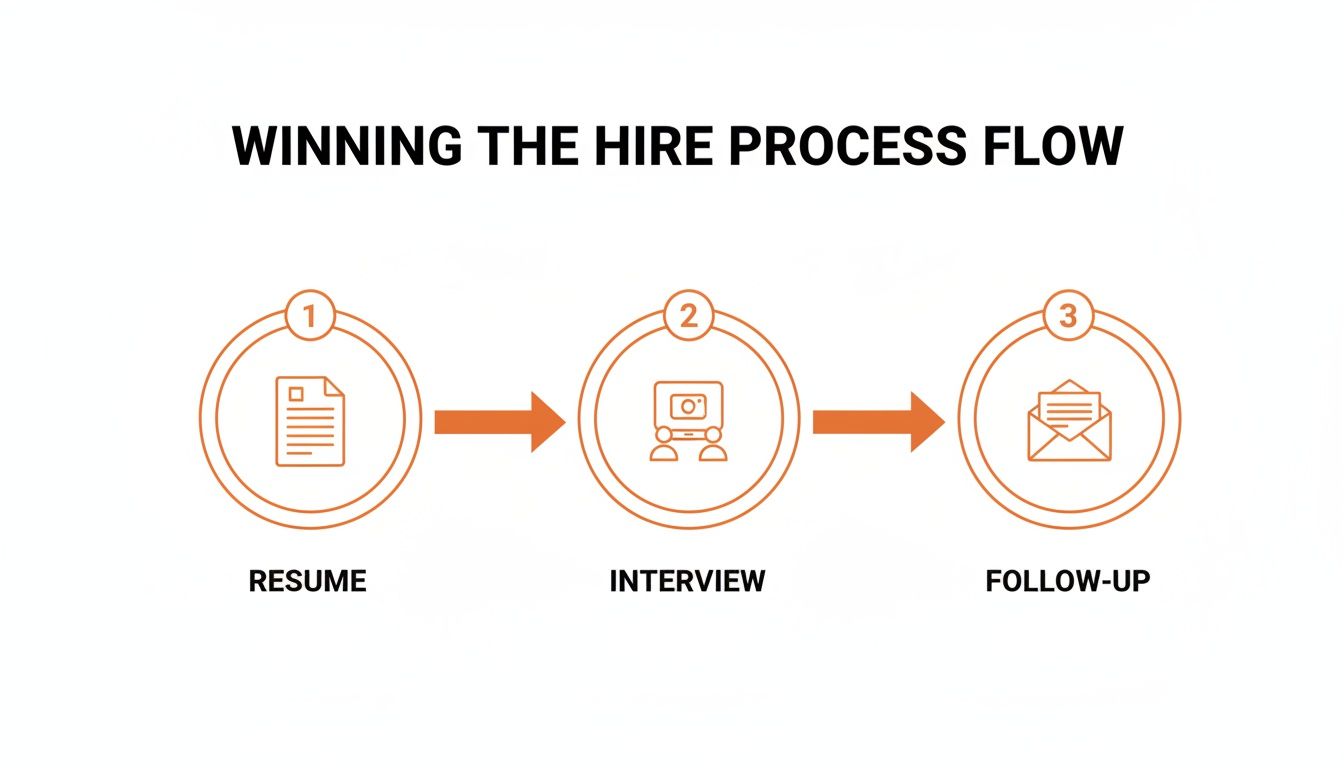
As you can see, winning a remote role is a communication marathon, not a sprint. Each stage is an opportunity to prove you can connect and convey information clearly.
Build a Weekly Practice Routine
With your micro-goals in hand, you can plug them into a simple weekly schedule. Remember, consistency beats intensity every time. A focused 15-minute practice each day is far more powerful than a frantic, two-hour session once a month.
To get you started, here is a sample routine you can adapt to your own goals. Think of this as your personal communication workout plan.
Weekly Communication Practice Routine
This simple framework helps you build consistent habits. Tweak the exercises to match the specific micro-goals you set for yourself.
| Day | Focus Area | 15-Minute Practice Exercise |
|---|---|---|
| Monday | Written Clarity | Pick one long email you've sent. Rewrite it to be 25% shorter while keeping the core message and action item intact. |
| Tuesday | Active Listening | In your first meeting of the day, focus entirely on what others are saying. Write down the key point from each speaker. |
| Wednesday | Async Updates | Draft tomorrow's project update. Before sending, ask yourself: "If I were in a different time zone, would I know exactly what to do?" |
| Thursday | Giving Feedback | Find one piece of a colleague's work (a doc, a design) and practice writing one piece of constructive, specific feedback. |
| Friday | Self-Reflection | Review your week. Did you hit your micro-goals? What was one communication win? What was one challenge? |
This structured approach turns a fuzzy wish into a concrete, repeatable process. You’re no longer just "trying to get better"—you're actively developing a core professional skill, creating a powerful feedback loop for your career growth.
Common Questions About Remote Communication
Even when you have a great game plan for improving your communication, real-world questions always come up. Let's tackle some of the most common hurdles I see remote professionals run into.
How Can I Get Honest Feedback On My Communication Skills?
Let's be real: asking a coworker, "How's my communication?" is a surefire way to get a vague, polite, and unhelpful response. If you want feedback you can actually use, you have to get specific and make it easy for them.
The trick is to ask about a specific, recent interaction. Pick a trusted peer or your manager and try something direct. Instead of a general question, ask, "In that call just now, did my explanation of the technical issue make sense to everyone?" or "Was the main takeaway clear in the project update I sent this morning?"
When you ask for targeted feedback, you're doing more than just learning. You’re signaling a commitment to growth and a self-awareness that great teams are built on. It’s a huge trust-builder.
How you receive that feedback is just as crucial. Say thank you, resist the urge to get defensive, and really sit with the insight they’ve offered. Another powerful tool is simply recording yourself. Do a practice run of a presentation on your laptop—you'll quickly spot verbal tics and other habits you never knew you had.
What Are The Biggest Communication Mistakes In Remote Work?
Working remotely means small miscommunications can quickly snowball into major roadblocks. While every team has its own quirks, a few common mistakes consistently create friction and kill productivity. I see these same tripwires again and again.
Here are the top three pitfalls to watch for:
- Using Chat for Complex Decisions: A long, meandering thread on Slack or Microsoft Teams is a black hole for complex problem-solving. It splinters the conversation, buries critical details, and makes it almost impossible to find the final decision later.
- Writing Vague Async Updates: A message like, "Made some progress on the report" is effectively useless. It forces your team to stop what they're doing and ask follow-up questions, which completely defeats the purpose of asynchronous work.
- Assuming Negative Tone in Brief Messages: Without body language or tone of voice, our brains love to fill in the gaps—and they usually assume the worst. Reading negative intent into a short, direct message is a fast track to eroded morale and unnecessary team tension.
The fix is often incredibly simple. For example, if a chat thread is getting out of hand, be the one to say, "Good points, everyone. This is getting complex for chat. I'm spinning up a quick doc to capture this and will share the link." You’ve just moved the conversation to a more organized, effective space.
Can Technology Like AI Actually Help Improve My Communication?
It absolutely can, but you have to think of it as a co-pilot, not an autopilot. AI-powered tools are fantastic for polishing your communication, but they can't replace the human elements of empathy and strategic thinking.
Tools like Grammarly are excellent for sharpening your writing, catching typos, and suggesting more concise phrasing. Transcription services can create a searchable log of your meetings, which is great for reviewing exactly what was said and how you contributed.
The key is to use this tech to augment your skills, not replace them. An AI can help you draft an email or summarize a dense document, but it has no idea about the cultural nuances of your team or the emotional state of the person on the other end. That's where your distinctly human skills—empathy, rapport, and cultural awareness—remain irreplaceable.
How Do I Communicate Effectively Across Different Cultures?
This is a non-negotiable skill for any global team. When in doubt, default to simplicity and clarity in everything you do. Ditch the slang, complex metaphors, and regional jokes that might get lost in translation.
Be explicit with what you need and generous with your assumptions. Always assume positive intent. A message that feels blunt to someone from a high-context culture might be considered perfectly direct and efficient in another.
And a simple but powerful habit: always check time zones. Before you send a message that could ping someone’s phone during their family dinner or on a weekend, take a second to consider their local time. It's a small act of respect that goes a long way in building strong, considerate cross-cultural relationships.
Ready to find a remote job where your polished communication skills will shine? YayRemote curates hand-picked roles from top distributed companies around the globe. Explore thousands of opportunities and use our free career tools to land your next great remote role. Start your search on YayRemote today!