IT Support Jobs No Experience: Your 2026 Guide
Want to land it support jobs no experience in 2026? This guide offers a practical roadmap, from essential skills & certs to resume tips & interview prep.
You're probably in one of three spots right now. You want to get into tech, every job post seems to ask for experience, and you're wondering whether “entry level” means “not really entry level.” Or you've been applying to help desk jobs and hearing nothing back. Or you're trying to switch from retail, hospitality, admin, customer service, or warehouse work and need a path that doesn't require going back to school for years.
I've hired entry-level support staff, and the biggest myth I'd cut immediately is this: you do not need a computer science degree to get started in IT support. You do need proof. Proof that you can learn basic systems, talk to frustrated users without making things worse, and troubleshoot in a calm, repeatable way.
That proof usually comes from two things working together. First, targeted certifications that help you pass the initial screen. Second, a home lab portfolio that shows you can do the work. If you only bring one of those, your odds drop. If you bring both, you stop looking like a pure beginner.
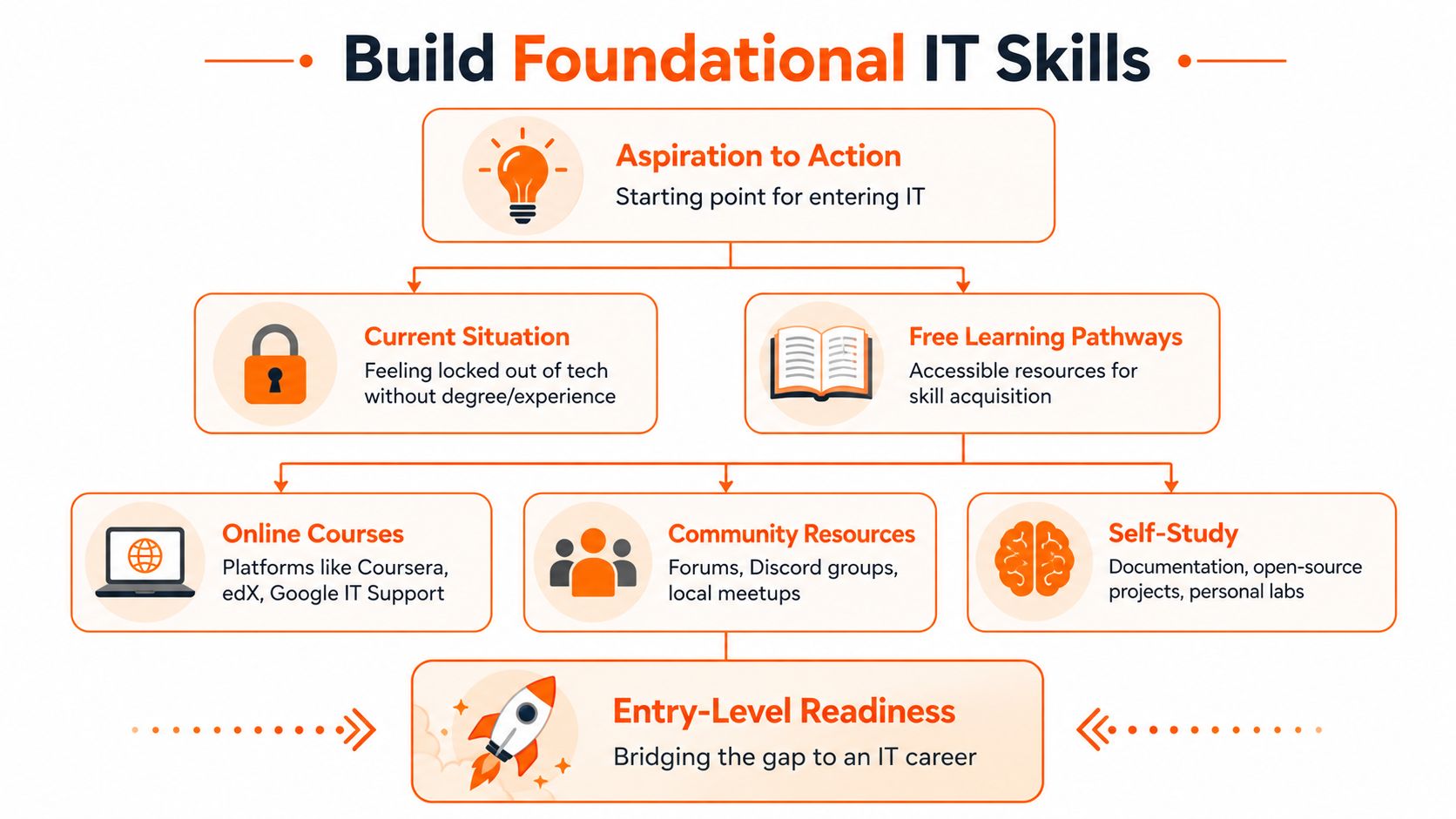
Build Your Foundational IT Skills for Free
If you're serious about landing IT support jobs with no experience, start with the skills that show up in almost every support environment. Learn those before you spend money on exams, resume services, or application sprees.
The upside is that this path can pay off quickly. In New Jersey, the average hourly pay for no-experience Help Desk jobs is $23.50, which translates to about $48,880 annually as of July 4, 2026, according to ZipRecruiter's no-experience help desk listings in New Jersey. In Queens, NY, some no-experience IT Technician roles start at $25.00 per hour on those same market listings. That's enough to treat this like a real career move, not a side hobby.
What you need to learn first
Don't try to learn all of IT. Learn the support layer.
- Operating systems: Get comfortable with Windows first, then basic macOS navigation. You should know user accounts, file systems, software installs, system settings, updates, printers, and basic permissions.
- Networking basics: Learn what TCP/IP, DNS, DHCP, Wi-Fi, routers, and switches do. You don't need advanced theory. You need enough understanding to diagnose why a device can't reach the network.
- Hardware and peripherals: Practice identifying common desktop and laptop issues, failed accessories, monitor problems, keyboard and mouse issues, docking station confusion, and basic replacement logic.
- Support workflow: Learn how tickets work, how to document a fix, how to reproduce a problem, and when to escalate.
Where to learn for free
Free resources are enough to build your base if you use them with discipline.
A practical stack looks like this:
- YouTube for demonstrations: Use it for Windows administration basics, laptop teardown overviews, printer troubleshooting, and intro networking.
- Free course tiers: Coursera, edX, and the Google IT Support curriculum can give you structure without forcing you to buy expensive bootcamps upfront.
- Vendor documentation: Microsoft, Apple, and common software vendors publish support docs that teach you how real environments are maintained.
- Forums and communities: Reddit, Discord groups, and community tech forums help you see the kinds of issues users report.
Practical rule: If you can't explain a concept simply, you don't know it well enough to support a user through it.
Learn in the order hiring managers care about
A common mistake is chasing cloud, cybersecurity, and automation before you can troubleshoot a locked account or a broken Wi-Fi connection. Start narrower.
Use this sequence:
- One operating system in depth
- Basic networking
- Common user-side problems
- Ticket documentation
- Light exposure to business tools like Microsoft 365
- Then broader topics like virtualization and cloud
That last step matters because support work increasingly touches hosted tools and identity systems. If you want a simple primer before you get there, it helps to discover cloud infrastructure benefits so terms you'll hear later don't sound abstract.
The goal at this stage isn't to impress anyone. It's to become useful. Useful gets interviews.
Certs vs Experience The Home Lab Advantage
Candidates ask this constantly: should you get certified, or should you build projects?
The answer is both, but not equally, and not in the way most career advice frames it.
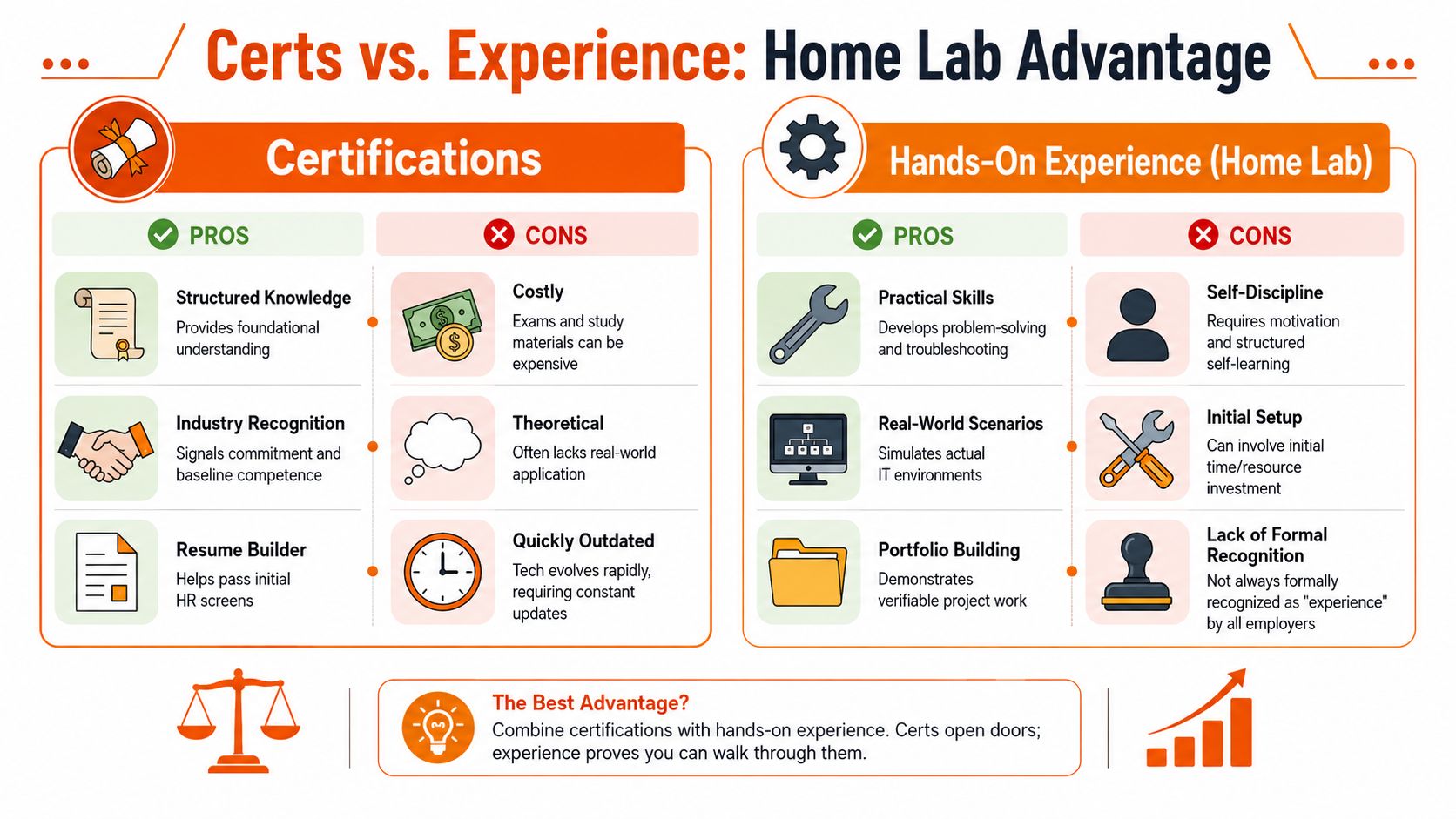
A certification helps recruiters and HR see a recognizable signal. A home lab helps a hiring manager believe you can survive your first month on the job. Those are different audiences. You need to satisfy both.
What certifications do well
CompTIA A+ is still useful for entry-level support because it gives you a broad map of the territory. It tells employers you've studied hardware, operating systems, troubleshooting, and support basics in a structured way.
That matters most when:
- Recruiters screen quickly: A recognized cert gives them a reason not to discard your application.
- You come from a non-technical background: It reduces the “can this person learn the basics?” concern.
- The posting mentions foundational certs: Some jobs prefer them, even when they don't strictly require them.
Where certifications fall short
A cert by itself doesn't prove that you can diagnose a failed login, document a ticket cleanly, or set up a test environment. It proves exposure, not execution.
That gap is becoming more obvious in hiring. Some entry-level roles now emphasize practical work over a simple experience count. One example from Indeed's entry-level tech support listings in Medford, NJ highlights a DTS Support Analyst role that explicitly asks for project deployment experience, which is a different signal than “years of experience.” That's a real opening for career switchers who can demonstrate hands-on work.
What a home lab does better
A home lab gives you stories, screenshots, notes, and troubleshooting examples. It turns “I'm interested in IT” into “I built this, broke it, fixed it, and documented what happened.”
Hiring managers don't expect perfection from entry-level candidates. They look for evidence that you can learn by doing and explain what you did clearly.
You don't need an expensive lab. Start with one old PC or a normal laptop and virtualization software. Good starter projects include:
| Project | What it proves |
|---|---|
| Windows install and user setup | You understand OS deployment, local accounts, drivers, and updates |
| Basic virtual network | You can think through connectivity and device communication |
| Active Directory practice environment | You've touched user management, password resets, and group structure |
| Ticketing workflow in a personal system | You understand how support work gets tracked and documented |
| Shared folder and permissions test | You can reason through access problems and user requests |
Later, if remote infrastructure work interests you, this remote systems administration guide gives a realistic picture of where foundational support skills can lead.
Here's a simple way to think about the trade-off:
- Cert only: Better for passing filters
- Lab only: Better for interviews with technical people
- Cert plus lab: Best mix for breaking into IT support jobs with no experience
A short video can help you picture how to turn study into practical setup work:
The strongest combo for beginners
If I were advising a career switcher from scratch, I'd say this. Pick one entry-level cert path, keep it targeted, and build two or three lab projects that map directly to support tasks. Then put those projects on your resume in plain English.
That's stronger than collecting credentials with nothing to show behind them. And it's much stronger than saying you're “passionate about technology.”
Craft a Resume That Translates Your Past into IT
The worst entry-level IT resumes all fail the same way. They list past jobs exactly as they happened, then tack on “seeking to transition into tech” at the top and hope someone makes the connection.
No one will make it for you. You have to translate your history into support language.
Rewrite your past work in support terms
If you worked retail, hospitality, admin, customer service, logistics, or front desk, you already did parts of support work. You handled frustrated people, solved time-sensitive problems, followed process, used software, managed requests, and kept things moving under pressure.
The trick is to rewrite that experience around actions hiring managers care about.
Weak bullet
- Helped customers with issues in a busy store
Stronger bullet
- Resolved customer issues in a high-volume environment, balancing speed, accuracy, and clear communication under pressure
Weak bullet
- Worked with computers and scheduling systems
Stronger bullet
- Used scheduling and point-of-sale software daily, troubleshot routine user issues, and maintained accurate records across shift handoffs
Weak bullet
- Trained new employees
Stronger bullet
- Onboarded new team members on tools, workflows, and standard procedures, improving consistency and reducing repeated questions
None of that is fake. It's translation.
Add a real technical skills section
Don't make your skills section a keyword dump. Make it readable and honest.
Include tools and concepts you can explain in an interview:
- Operating systems: Windows, macOS
- Networking: DNS, DHCP, Wi-Fi troubleshooting, basic TCP/IP concepts
- Support tasks: Software installation, printer setup, password resets, account provisioning
- Tools: Microsoft 365, Google Workspace, ticketing systems you've practiced with
- Home lab projects: Briefly listed with one line each
A hiring manager should be able to scan this section and know what they can ask you about.
Create a home lab projects section
This section is where inexperienced candidates often separate themselves.
Format it like this:
Home Lab Projects
- Built a Windows virtual machine environment for user account setup, software installation, update management, and troubleshooting practice
- Created a small test network to practice diagnosing connectivity issues and documenting resolution steps
- Set up a basic directory services lab to practice user creation, password resets, permissions, and support workflows
That section tells me more than a generic objective statement ever will.
Manager's filter: If your resume says “home lab,” I expect you to explain what broke, how you found the cause, and what you changed.
Make your resume easier for automated screening
A lot of candidates get rejected before a human sees them. That's why wording matters. Match the language from the posting when it fits your background truthfully. If a role says “desktop support,” “ticketing,” “account provisioning,” or “hardware troubleshooting,” use those phrases where they apply.
For a career-change structure that works well, this resume for a career change guide is a useful model.
Presentation matters too. Your LinkedIn photo won't get you hired on its own, but a polished profile does affect first impressions when recruiters click through. If your current photo is poor, this practical guide to AI profile pictures shows how people improve their professional profile without overdoing it.
Keep the document tight
A good entry-level IT resume usually wins by being clear, not clever.
Use this checklist:
- Headline instead of objective: “Entry-Level IT Support Candidate with Home Lab Experience”
- Relevant skills near the top: Don't bury them after unrelated work history
- Projects included: Even two solid ones help
- Past experience translated: Focus on support, process, communication, and troubleshooting
- No inflated claims: If you didn't administer enterprise systems, don't imply that you did
Honesty travels well in interviews. Exaggeration doesn't.
Ace the Interview and Technical Challenge
Entry-level support interviews usually test two things. Can you deal with people? Can you think through a problem without panicking?
You don't need polished jargon. You need structure.
Answer behavior questions with a usable framework
For questions about conflict, pressure, mistakes, or teamwork, use STAR:
- Situation: What was happening
- Task: What you needed to handle
- Action: What you did
- Result: What changed because of your actions
Keep the answer grounded. If a user was upset, say how you de-escalated. If something failed, say how you recovered. If you had competing priorities, explain how you triaged.
For extra practice, reviewing common behavioral interview questions can help you rehearse without sounding scripted.
Use a repeatable troubleshooting method
When interviewers give you a technical scenario, they usually care more about your process than the final answer.
Use this sequence:
- Identify the problem
- Establish a likely cause
- Test that theory
- Choose a plan
- Apply the fix
- Verify everything works
- Document what happened
That last step matters in real support jobs and candidates often forget it.
Sample scenario with Wi-Fi trouble
Let's say the interviewer asks: a user can't connect to the Wi-Fi. What do you do?
A strong answer sounds like this:
- First, confirm the symptom. Is the device seeing the network? Is it failing to join, or joining without internet access?
- Next, check scope. Is it one user or several users? That tells me whether I'm looking at a device issue or a broader outage.
- Then test the obvious causes. Wi-Fi enabled, airplane mode off, correct network selected, password recently changed, device restarted.
- If needed, move deeper. Forget and rejoin the network, test another device, check whether the user can connect somewhere else, and review whether the problem started after an update or location change.
- If the issue appears wider than one device, escalate with clear notes instead of guessing.
A calm, methodical answer beats a flashy one. Support teams hire people who can reduce confusion.
What interviewers notice immediately
They notice whether you listen. They notice whether you jump to conclusions. They notice whether you explain technical steps in normal language.
They also notice coachability. If they give you a hint and you adapt, that's good. Entry-level IT support isn't about knowing everything. It's about being teachable and dependable when the problem is messy.
Find Your First IT Job Including Remote Roles
You finish a CompTIA exam, build a small lab, send out 30 applications for "help desk," and hear nothing back. I see this a lot. The problem usually is not effort. It is a weak search strategy.
Entry-level support hiring is broader than the Help Desk label, and employers often describe the same work under different titles. If you only search one keyword, you miss a large share of the jobs that fit a beginner with a cert and a working lab portfolio.
The market is larger than one job title
There is real hiring volume for newcomers. In the New York City Metropolitan Area alone, LinkedIn shows hundreds of openings tied to no-experience IT support searches, including listings across New York City, Jersey City, and Newark, according to LinkedIn's no-experience IT support listings for the New York City metropolitan area.
That matters for one reason. You do not need every employer to say yes. You need a search process that puts you in front of enough relevant openings, under the right titles, with a resume that matches what they asked for.
Search for titles that beginners skip
"Help Desk" is the obvious search. It is also crowded.
Use a wider title list and save each search separately:
- Technology Assistant
- Desktop Support Technician
- Service Desk Technician
- IT Technician
- L1 Support Engineer
- Internal IT Support
- Technical Support Specialist
- IT Support Associate
- End User Support
Technology Assistant is a good example. Schools, libraries, smaller businesses, and local government offices often use that title for hands-on support work that gives beginners real exposure to device setup, user support, account issues, and basic admin tasks. Those jobs may not look flashy, but they build the kind of experience hiring managers trust.
I have hired candidates from those roles into broader support positions because they had already dealt with users, hardware, tickets, and messy day-to-day problems.
Target places that train beginners
Some employers are better launch points than others.
Good first targets include MSPs, school districts, healthcare groups, local government, retail corporate support teams, and mid-sized companies with in-house IT. These teams often need reliable people who can follow process, document clearly, and handle repeat issues without drama. That is a better fit for a beginner than chasing only brand-name remote jobs with hundreds of applicants.
A practical system works better than spraying resumes everywhere.
- Pick 20 to 30 target employers
- Search each company site directly
- Match your resume to the title family
- Apply within 24 to 48 hours of the posting
- Keep notes on tools mentioned, such as Microsoft 365, ticketing systems, Windows support, or onboarding
That last step helps more than applicants expect. If a posting mentions Active Directory, device imaging, or password resets, your home lab projects should appear in the resume and in the application follow-up.
Remote roles are real, but the bar is different
Remote support jobs attract more applicants, and they remove one advantage beginners sometimes rely on, being physically nearby and available to help. Employers screen harder for written communication, documentation habits, and independent troubleshooting.
This is the kind of role search environment worth aiming for:
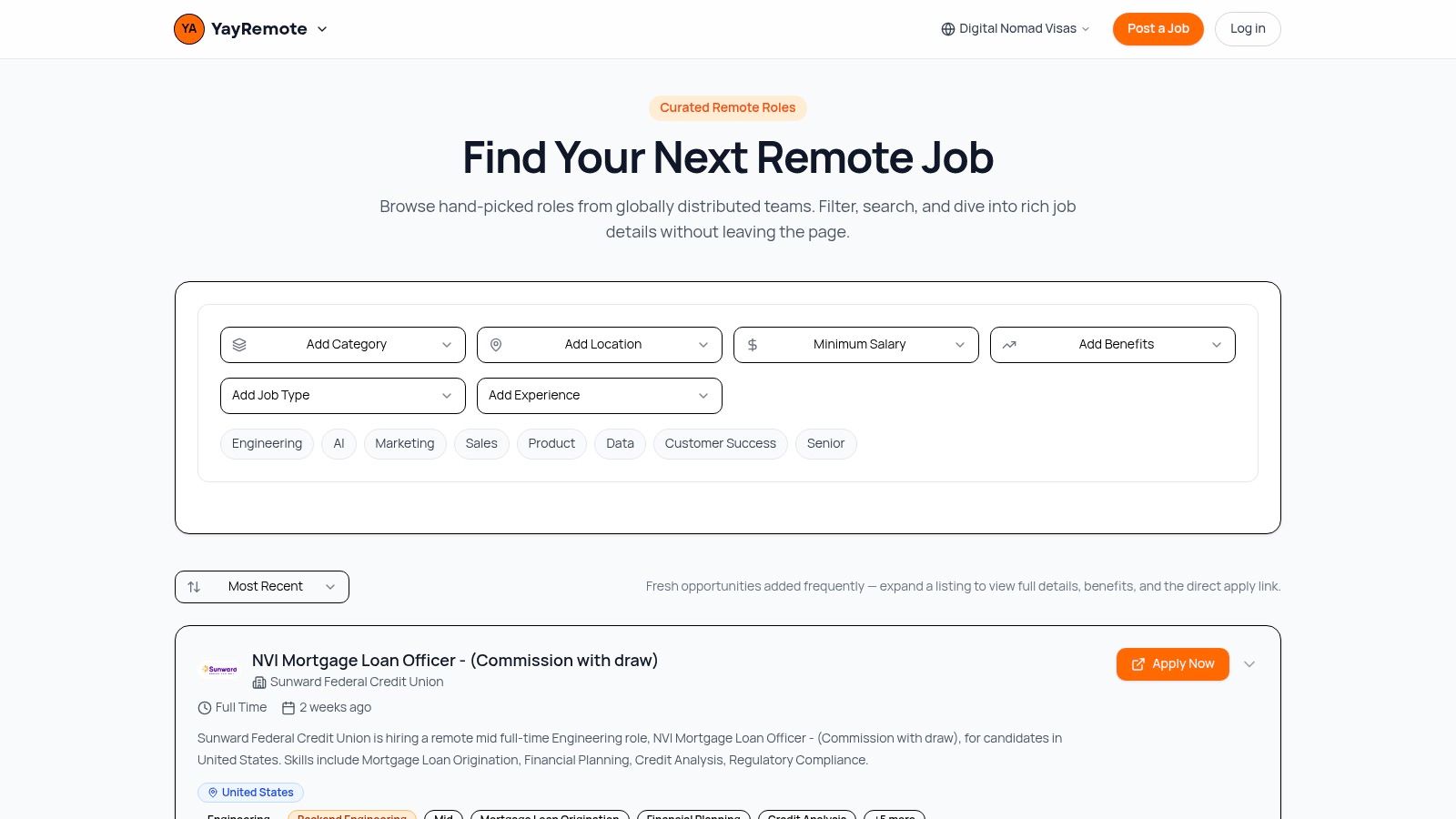
If remote work is part of your plan, this guide to finding remote IT jobs can help you filter openings and understand how distributed teams judge entry-level candidates.
For remote roles, your cert gets attention. Your lab portfolio closes the gap. A hiring manager cannot watch you swap a dock or reimage a laptop in person, so they look for proof that you can follow a process and explain what you did. Screenshots, short write-ups, and clear project notes matter more here than many applicants realize.
What gets interviews
The strongest beginner applications usually share the same traits:
- A targeted cert that fits the role
- A home lab portfolio tied to actual support tasks
- Job title searches beyond Help Desk
- A clear match between the resume and the posting
- Applications focused on employers likely to train entry-level staff
This is how you get around the "experience required" wall. You do not argue with it. You show enough relevant proof that the employer counts your certs, lab work, and customer-facing experience as credible starting experience.
Your 90-Day Roadmap to an IT Support Job
A lot of entry-level candidates stay busy without getting closer to hired. They watch another certification video, tweak LinkedIn again, and wait until they feel "ready." Hiring managers do not reward that. They respond to proof.
Treat the next 90 days like a sprint with deliverables. By the end, you want two things working together: one targeted certification path and a small home lab portfolio that shows you can do support work, explain it, and document it.
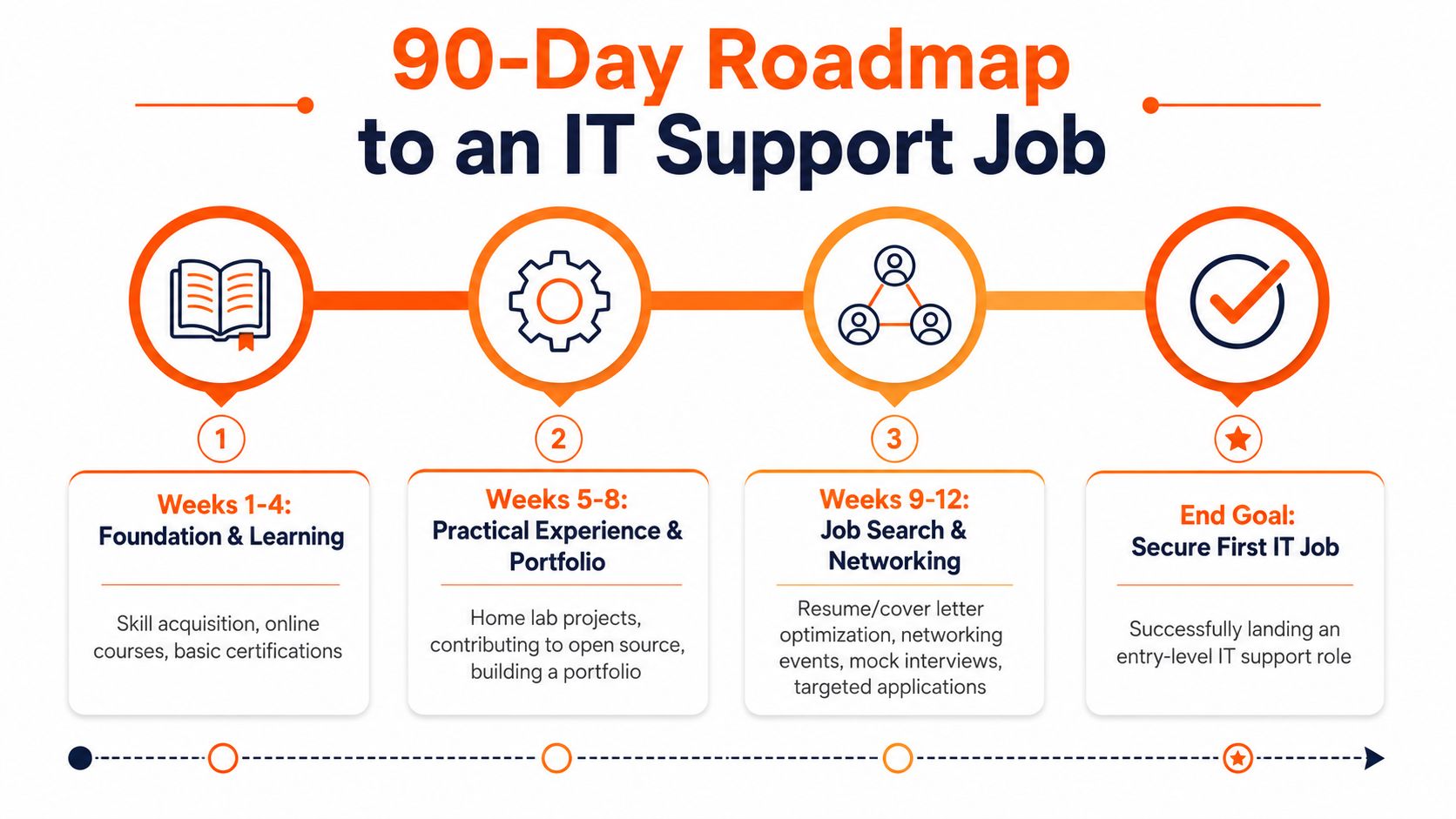
Weeks 1 through 4
Start with structure. Pick one operating system and get comfortable solving the problems entry-level support staff see every day. For many people, that means Windows first, plus basic networking and account troubleshooting.
Your checklist:
- Study daily: Focus on Windows, networking basics, printers, Wi-Fi issues, account lockouts, software installs, and permissions
- Write your own notes: Explain DNS, DHCP, IP addresses, MFA, and file sharing in plain English
- Practice support language: Describe the issue, what you checked, what changed, and what fixed it
- Choose your cert path: Pick one cert that matches the roles you plan to target, not a stack of unrelated badges
Weeks 5 through 8
Now build evidence.
This is the stretch that separates applicants who only studied from applicants I would interview. A simple lab is enough if it mirrors real support tasks and you can walk me through it clearly.
Use this period to:
- Set up a home lab: Use a spare PC or virtual machines to practice user accounts, remote access, system settings, software installs, shared folders, and basic troubleshooting
- Finish a few focused projects: Examples include joining devices to a local domain, resetting permissions, mapping drives, troubleshooting DNS issues, or writing a basic support checklist
- Document everything: Save screenshots, write short summaries, and note what broke and how you fixed it
- Tie the lab to the cert: If you are studying for A+, practice hardware, Windows, and common support tickets. If you are leaning toward Microsoft-focused roles, build projects around Windows administration tasks
One finished lab with clear notes beats a pile of half-done setups every time.
Weeks 9 through 12
Turn preparation into output. Apply, interview, and keep sharpening weak spots based on what employers ask.
Focus on:
- Resume refinement: Add lab projects, cert progress, and past work rewritten in support language
- Interview reps: Practice troubleshooting out loud. Keep your answers calm, structured, and specific
- Title targeting: Search beyond Help Desk. Include Desktop Support, IT Support Specialist, Technical Support Analyst, Service Desk Analyst, Technology Assistant, Field Technician, and junior internal support roles
- Consistent applications: Apply every week instead of batching everything into one burst
- Networking with purpose: Message recruiters and hiring managers with a short note that points to your cert path, your lab work, and the kind of role you want
That job-title mix matters. "Help Desk" is crowded. Good entry points often sit under other titles, especially in schools, healthcare, local government, MSPs, and companies hiring internal support staff.
The standard to aim for by day 90
By day 90, you should look trainable on paper and credible in conversation.
| Area | What “ready” looks like |
|---|---|
| Core knowledge | You can explain common support concepts clearly and without jargon |
| Hands-on proof | You have documented home lab projects tied to real support tasks |
| Certification path | You have passed one entry-level cert or are close enough to list a scheduled exam date |
| Resume | Your past work is translated into troubleshooting, customer support, documentation, and ticket-friendly language |
| Interview ability | You can explain how you approach a problem, what you check first, and how you communicate with users |
| Job search strategy | You are applying to multiple support-related titles, including remote options |
That is enough to be competitive for many entry-level roles. It will not remove all rejection. It will give employers a reason to take you seriously, even without formal IT experience.
If you're ready to look beyond generic job boards, YayRemote is worth checking for curated remote roles, practical application tools, and resources that help career switchers present themselves better. It's especially useful if you want remote-friendly IT paths without digging through low-quality listings all day.