Snowflake Timezone Conversion: A Practical Guide
Master Snowflake timezone conversion. This guide covers TIMESTAMP types, CONVERT_TIMEZONE, DST pitfalls, and best practices for accurate global data analysis.
Your dashboard says sign-ups jumped on May 10. Finance says payroll closed on May 9. Support says the customer's activity happened on May 11. All three teams may be looking at the same underlying event.
That's the reality for a distributed company. One table lands events from product analytics in UTC, another comes from a vendor export with local wall-clock timestamps, and a downstream report groups by calendar day as if time were universal. It isn't. In Snowflake, timezone handling is one of those topics that looks simple until you have to explain why London, New York, and Tokyo all disagree on “yesterday.”
Your Guide to Navigating Global Timestamps
A remote company usually hits the same problem in stages. First, someone asks for a daily report by market. Then a manager compares that report to application logs. Then someone notices the “same day” isn't the same day in every region. At that point, timestamp design stops being a SQL detail and becomes a data modeling decision.
For globally distributed teams, the mess shows up in ordinary work. A hiring funnel report may need to reflect a recruiter's local business day. Product events might need to stay in UTC for reliable joins. A support export can arrive with no timezone metadata at all, which means Snowflake has to be told how to interpret it before anyone can trust the result.
One useful habit is to align with the company's collaboration reality before you write any SQL. If your team spans several regions, a scheduling aid like YayRemote's time zone overlap tool makes the operational problem obvious. Data has the same issue. People are not looking at time from one place.
Working rule: every timestamp has two questions attached to it. What exact moment happened, and in which local context does the business want to view it?
Snowflake gives you enough control to answer both, but it won't protect you from bad assumptions. The right approach starts earlier than SELECT. It starts in table design, in type choice, and in deciding whether a query should interpret a timestamp or convert it.
The Foundation Understanding Snowflake Timestamp Types
The most expensive timezone bugs usually start with the wrong column type. Snowflake gives you TIMESTAMP_NTZ, TIMESTAMP_LTZ, and TIMESTAMP_TZ. If you treat them as interchangeable, your reports will drift depending on session settings, source system behavior, and who ran the query.
The practical mental model
Think of TIMESTAMP_NTZ as a wall clock written on paper. It says “2025-05-10 09:00:00” and nothing else. Snowflake documentation describes TIMESTAMP_NTZ as storing “wallclock” time without any time zone adjustment, which is exactly why it's powerful and dangerous in equal measure.
Think of TIMESTAMP_LTZ as a phone calendar tied to whoever is looking at it. It stores time in a way that depends on local context when displayed. That can be convenient for interactive use, but it also means session settings matter more than many teams expect.
Think of TIMESTAMP_TZ as a flight itinerary. It carries the timestamp with offset information, and Snowflake's datetime model stores UTC values plus a time zone offset. If no time zone is supplied, Snowflake uses the session time zone offset, which is one more reason to be explicit.
For a broader technical refresher on where these design choices fit, this overview of understanding Snowflake's data platform is a useful companion.
Snowflake Timestamp Data Types Compared
| Data Type | What It Stores | Behavior | Best For |
|---|---|---|---|
TIMESTAMP_NTZ |
Wall-clock timestamp without time zone metadata | Doesn't apply time zone logic by itself | Canonical UTC storage, staging raw timestamps, predictable joins |
TIMESTAMP_LTZ |
Timestamp interpreted through local session context | Display and interpretation can vary with session timezone | Analyst-facing workflows where local display is useful |
TIMESTAMP_TZ |
UTC value plus time zone offset | Preserves timezone-aware context in the value | Ingesting events that already include timezone information |
How to choose during table design
If you're designing fact tables for a global product, TIMESTAMP_NTZ in UTC is usually the safest default. It gives you a stable value for joins, deduplication, partitions, and cross-region analytics. It also keeps business logic explicit. You don't wake up to a changed result because someone's session timezone changed.
Use TIMESTAMP_LTZ when your primary consumer is a person exploring data interactively and local display matters more than strict portability across sessions. That's less common for shared transformation layers and more common in ad hoc analyst work.
Use TIMESTAMP_TZ when the source already carries timezone context you need to preserve. External systems sometimes emit timestamps with offsets that are meaningful and should not be stripped away during ingestion.
Design heuristic: if the timestamp represents a historical event and many downstream models will touch it, optimize for consistency first. Convenience comes later.
For a remote company, this is also a performance decision. Stable UTC values in TIMESTAMP_NTZ simplify predicates, reduce confusion in shared models, and make query intent easier to review. Teams lose more time debugging implicit timezone behavior than they gain from clever type shortcuts.
Core Conversions Using CONVERT_TIMEZONE
When you need explicit, reliable Snowflake timezone conversion, CONVERT_TIMEZONE is the function to reach for first.

Snowflake documents two signatures for this function in its CONVERT_TIMEZONE reference. The 3-argument form is CONVERT_TIMEZONE(<source_tz>, <target_tz>, <source_timestamp_ntz>) for timestamps without time zone metadata. The 2-argument form is CONVERT_TIMEZONE(<target_tz>, <source_timestamp>) for timestamps that may already carry time zone information. Snowflake also states that the 3-argument version returns TIMESTAMP_NTZ, the 2-argument version returns TIMESTAMP_TZ, and time zone names are case-sensitive and must be written in single quotes such as 'UTC'.
Use the 3-argument form for naive timestamps
This is the pattern for a column that contains a local or UTC timestamp but no timezone metadata.
SELECT
    event_id,
    event_time_utc_ntz,
    CONVERT_TIMEZONE('UTC', 'America/Los_Angeles', event_time_utc_ntz) AS event_time_pacific
FROM product_events;
This works because you are telling Snowflake both where the timestamp starts and where it needs to end up. Without that first argument, Snowflake has to infer context from the value type or session, and that's where subtle bugs start.
Another common case is vendor data stored as local office time in a text field that has already been cast to TIMESTAMP_NTZ.
SELECT
    applicant_id,
    interview_start_ntz,
    CONVERT_TIMEZONE('Europe/London', 'UTC', interview_start_ntz) AS interview_start_utc
FROM recruiting_interviews;
The key point is interpretation. TIMESTAMP_NTZ doesn't tell Snowflake what zone the original value belongs to. You do.
Use the 2-argument form for timezone-aware values
If the source timestamp already includes timezone context, use the 2-argument form.
SELECT
    order_id,
    order_created_tz,
    CONVERT_TIMEZONE('Asia/Tokyo', order_created_tz) AS order_created_tokyo
FROM commerce_orders;
That returns a TIMESTAMP_TZ, which is often exactly what you want for downstream display or audit work.
Don't pick the shorter syntax because it looks cleaner. Pick the signature that matches the data type you actually have.
Convert late for reporting
A good reporting query keeps storage and transformation in UTC until the last possible step.
SELECT
    user_id,
    signup_time_utc,
    CONVERT_TIMEZONE('UTC', 'America/New_York', signup_time_utc) AS signup_time_est
FROM user_signups
WHERE signup_time_utc >= '2025-05-01 00:00:00'::TIMESTAMP_NTZ
  AND signup_time_utc <  '2025-05-02 00:00:00'::TIMESTAMP_NTZ;
That pattern avoids wrapping your filtered column in a conversion function. In practice, that tends to be easier to reason about and kinder to query performance because the filter stays on the canonical stored value.
Here's a video walkthrough if you want to see related mechanics in action:
Filter by business day in a target timezone
Teams often err at this stage. They convert the timestamp in the SELECT list, but they filter the raw UTC column using local day boundaries. That creates off-by-hours errors around midnight.
Instead, convert the business-day boundary back into UTC and filter on the stored UTC value.
SELECT
    user_id,
    signup_time_utc
FROM user_signups
WHERE signup_time_utc >= CONVERT_TIMEZONE('America/Los_Angeles', 'UTC', '2025-05-10 00:00:00'::TIMESTAMP_NTZ)
  AND signup_time_utc <  CONVERT_TIMEZONE('America/Los_Angeles', 'UTC', '2025-05-11 00:00:00'::TIMESTAMP_NTZ);
That query answers a precise business question: which signups happened during the May 10 calendar day in Los Angeles.
What works and what doesn't
- Works well: explicit source and target zones, named zones like
'UTC'and'America/Los_Angeles', and late conversion for presentation. - Usually fails later: relying on implicit session behavior, mixing NTZ and TZ values in the same logic path, and converting in filters when you could filter on canonical UTC instead.
- Worth standardizing: helper views or dbt macros that encode the same conversion pattern everywhere.
Often, CONVERT_TIMEZONE becomes the house standard because intent is obvious in code review. You can see the source zone, target zone, and input value all in one line.
Alternative Patterns with AT TIME ZONE
AT TIME ZONE is useful, but it solves a different problem. If CONVERT_TIMEZONE is your explicit workhorse for moving between zones, AT TIME ZONE is better thought of as an interpretation tool.
The practical difference
Use CONVERT_TIMEZONE when you want to say, “This timestamp started in one timezone and I need it represented in another.”
Use AT TIME ZONE when you want to say, “Treat this timestamp as belonging to this timezone,” or when you want a compact inline expression that makes the timezone context obvious.
That distinction matters because many data issues aren't caused by bad conversion. They're caused by bad interpretation at the start.
Suppose you have a TIMESTAMP_NTZ column loaded from an upstream system that always emits UTC values, but the column itself doesn't carry timezone metadata. Before anyone converts it for display, they need to establish what that value means.
SELECT
    created_at_ntz,
    created_at_ntz AT TIME ZONE 'UTC' AS created_at_utc_context
FROM raw_events;
That pattern can be cleaner than dropping straight into a conversion function when the primary task is annotation.
When AT TIME ZONE reads better
There are cases where AT TIME ZONE makes SQL easier to review.
SELECT
    meeting_start_ntz AT TIME ZONE 'UTC' AS meeting_start_utc
FROM team_calendar;
A reviewer can immediately see that the query is assigning a timezone interpretation to a previously naive value. That's often easier to reason about than a conversion function when the first step is contextualizing the data.
Now compare that to a true cross-zone conversion:
SELECT
    CONVERT_TIMEZONE('UTC', 'America/New_York', meeting_start_ntz) AS meeting_start_new_york
FROM team_calendar;
That version is clearer when the business requirement is to display local time for a market, not just attach meaning to the original timestamp.
Why many teams still standardize on CONVERT_TIMEZONE
For shared analytics code, I still prefer CONVERT_TIMEZONE as the default standard. It's more explicit in mixed environments where some columns are NTZ, some are TZ, and the same model is read by engineers, analysts, and BI developers.
A few trade-offs matter:
- Readability for interpretation:
AT TIME ZONEcan be elegant when your main task is stamping context onto an NTZ value. - Readability for conversion:
CONVERT_TIMEZONEusually wins when source and target zones both matter. - Consistency in team codebases: one standard function is easier to document, lint, and teach.
- Debugging speed: explicit source and target arguments make mistakes easier to spot during review.
If a new team member can't tell whether a line is interpreting or converting time, the SQL is too clever.
For a global remote company, consistency matters more than syntax style. Localized dashboards, payroll cutoffs, and support logs all become safer when the team uses one explicit pattern by default and reserves AT TIME ZONE for narrow cases where interpretation is the main job.
Avoiding Common Pitfalls and DST Nightmares
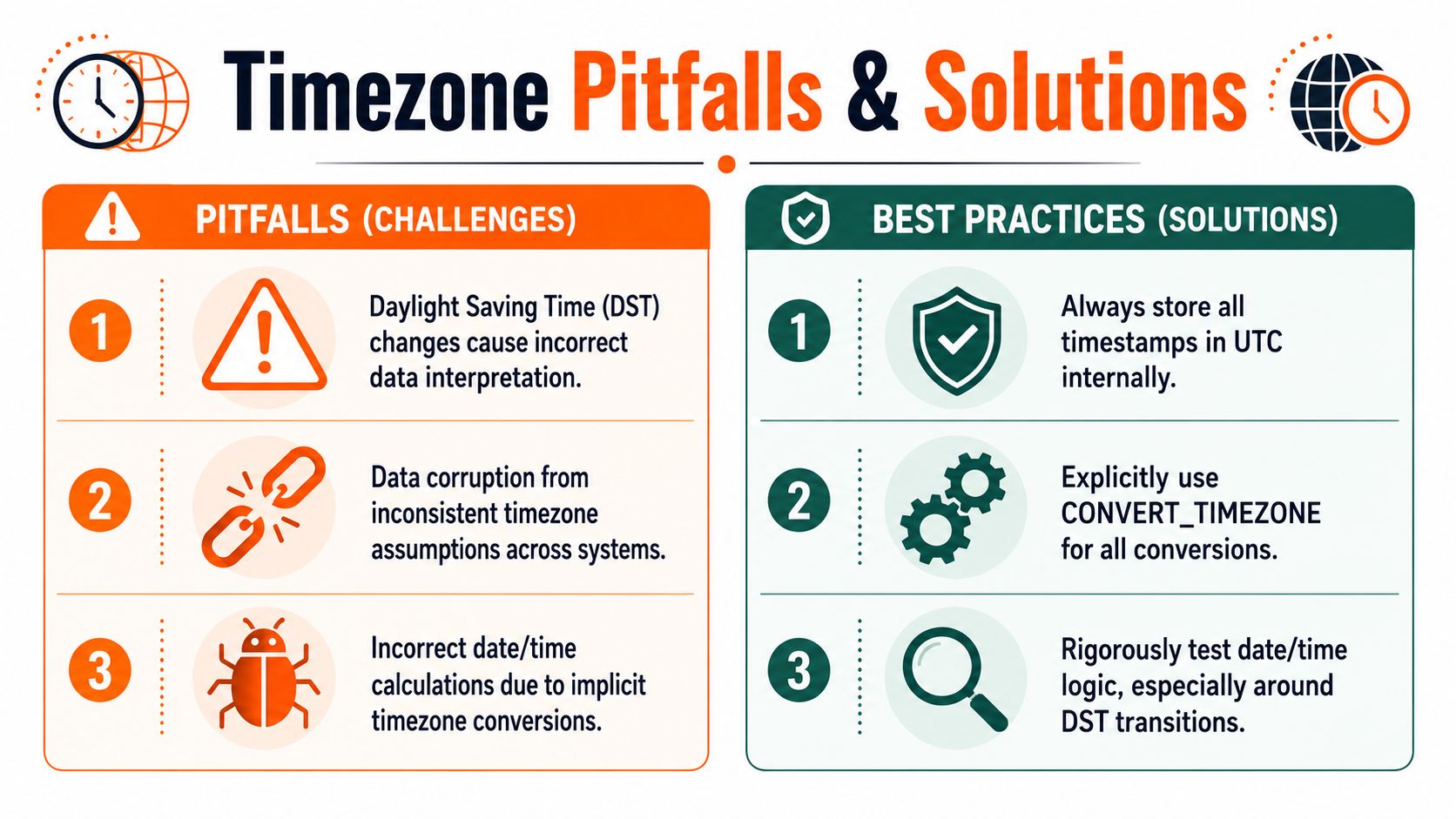
Most timezone bugs don't announce themselves as bugs. They look plausible. A chart shifts by an hour. A business-day count is slightly off. A scheduled export only fails around a daylight saving transition. Those are the hardest errors to catch because nothing looks obviously broken.
A practical guide from Secoda notes that Snowflake timezone handling supports daylight saving time and recommends named time zones like 'America/Los_Angeles' over fixed offsets. The same guidance also points out that session and account timezones can vary, so results can change if settings change. You can review that in their write-up on Snowflake timezone conversion best practices.
Pitfall one, trusting the session timezone
A developer runs a query in one worksheet. An analyst runs the same logic elsewhere. The values look different because one session uses a different timezone.
That's not a theoretical edge case. Snowflake sessions can vary, and the account-level timezone is only a default. If your query relies on implicit session context, reproducibility is gone.
The fix is simple. Write the timezone into the query.
- Be explicit in conversions: use named zones in the SQL itself.
- Set expectations in shared models: document whether a column is UTC, local market time, or source-system local time.
- Review result types: if a function returns
TIMESTAMP_TZ, keep that in mind downstream.
Pitfall two, using fixed offsets
Teams often reach for '-08:00' because it feels simpler than 'America/Los_Angeles'. It isn't simpler once daylight saving time enters the picture.
A fixed offset is only an offset. It doesn't know regional rules. A named IANA timezone carries those rules, including DST transitions. For historical reporting and current operations, that difference is the line between a correct answer and a polished mistake.
A timezone name is business logic. An offset is just arithmetic.
Pitfall three, converting too early
If you convert everything into local time in an intermediate model, every downstream consumer inherits that choice. One region's convenience becomes another region's cleanup job.
This happens a lot in remote-first companies. Someone builds a “friendly” table for a dashboard in New York time, then another team in London uses it for finance reconciliation. The timestamps are readable but no longer neutral.
Use local conversions at the edge:
- Final reports: convert for display in the last
SELECT. - User-facing exports: localize based on audience or market.
- Core transformations: keep a canonical UTC representation as long as possible.
A related operational habit is documenting timezone assumptions anywhere distributed systems touch scheduling, on-call work, or region-specific automation. Teams handling remote infrastructure often formalize that in runbooks similar to the practices discussed in remote systems administration guidance.
Pitfall four, skipping DST tests
A query can work perfectly for most of the year and still fail when clocks move. If your reporting logic depends on local calendar boundaries, test dates around DST transitions before you trust the model.
Good test cases include:
- Midnight boundaries: events just before and after local midnight.
- Repeated local times: timestamps during the fall-back period.
- Missing local times: timestamps during the spring-forward gap.
These tests don't need to be elaborate. They need to be intentional. The teams that catch timezone issues early are the teams that treat time logic like any other critical transformation and test it under the conditions that usually break it.
A Best Practice Framework for Global Data
For most analytics stacks, the least painful architecture is straightforward. Store historical event timestamps in UTC using TIMESTAMP_NTZ, transform and join in that canonical form, and convert only when a consumer needs local display.
That pattern works because it separates facts from presentation. The event happened once. The business may want to view it in Los Angeles, London, or Tokyo, but the underlying moment shouldn't change depending on who opens the dashboard.
The default architecture
A clean global design usually looks like this:
- Raw ingestion: land source timestamps with enough metadata to know their origin.
- Canonical layer: normalize historical events into UTC
TIMESTAMP_NTZ. - Transformation layer: aggregate, join, and filter on UTC.
- Presentation layer: apply local conversion at the end for dashboards, exports, or user-specific reporting.
That's the design I'd recommend to a new team unless a source system gives you a strong reason to preserve timezone-aware values directly in TIMESTAMP_TZ.
Why this helps performance and maintenance
The win isn't only correctness. It's operational simplicity.
When core models stay in UTC, filters are easier to read, shared transformations are easier to test, and a global remote team spends less time arguing about whether a metric changed because the business changed or because a timezone assumption changed. For software teams building shared data contracts, that discipline aligns with broader engineering habits like the ones described in these software development best practices for distributed teams.
Practical rule: convert on read, not in storage, unless the source timezone context is itself part of the business record.
Test queries to validate your environment
Run a small set of checks in your own Snowflake environment before standardizing patterns:
ALTER SESSION SET TIMEZONE = 'UTC';

SELECT CURRENT_TIMESTAMP();
SELECT
    '2025-05-10 12:00:00'::TIMESTAMP_NTZ AS sample_ntz,
    CONVERT_TIMEZONE('UTC', 'America/Los_Angeles', '2025-05-10 12:00:00'::TIMESTAMP_NTZ) AS pacific_time;
SELECT
    CONVERT_TIMEZONE('America/Los_Angeles', 'UTC', '2025-03-09 00:00:00'::TIMESTAMP_NTZ) AS start_boundary_utc,
    CONVERT_TIMEZONE('America/Los_Angeles', 'UTC', '2025-03-10 00:00:00'::TIMESTAMP_NTZ) AS end_boundary_utc;
SELECT
    event_time_utc,
    CONVERT_TIMEZONE('UTC', 'Europe/London', event_time_utc) AS london_time,
    CONVERT_TIMEZONE('UTC', 'Asia/Tokyo', event_time_utc) AS tokyo_time
FROM sample_events;
Those checks will tell you quickly whether your assumptions about types, session behavior, and local business-day boundaries hold up.
Snowflake timezone conversion gets much easier when your team makes one strategic decision early. Treat UTC as the system of record, and treat local time as a view.
If you work across regions, timezones affect more than analytics. They affect hiring, scheduling, handoffs, and daily collaboration. YayRemote helps distributed teams and remote professionals manage that reality with global job listings, practical remote work resources, and tools built for cross-time-zone work.