Entry Level Editing Jobs Remote: Your 2026 Roadmap
Find and land entry level editing jobs remote with our step-by-step guide. Learn to build your portfolio, ace trial edits, and negotiate salary in 2026.
You've probably done this already. You open a job board, type “editor remote,” and get a messy mix of senior content roles, video editing gigs, academic contract work, and listings that call for “entry level” but still ask for years of experience. You know you can catch awkward phrasing, fix grammar, and make weak copy readable. What you don't have yet is a clean path into the market.
That gap is where job seekers often stall. They keep searching instead of building proof. They tweak resumes without changing the strategy behind them. They apply broadly, then wonder why nothing sticks.
Remote editing is still accessible if you approach it like a practitioner, not a passive applicant. On Indeed, there were 241 open entry-level editing job listings in remote positions as of 2026, which points to real availability for candidates pursuing work-from-home roles in this category via Indeed's remote entry-level editing listings. The issue usually isn't whether roles exist. It's whether your materials show that you can improve copy, follow process, and work cleanly without supervision.
A lot of new editors underestimate how much hiring managers care about operational basics. Can you use comments clearly? Can you return a file that isn't confusing? Can you explain why you changed something? Those habits matter as much as your grammar instincts.
If you need a quick refresher on sharpening raw text before you package your own samples, Zemith's guide to editing is a useful reference because it brings the focus back to clarity, structure, and readability. That's the actual work employers pay for.
Your Remote Editing Career Starts Here
The fastest way into entry level editing jobs remote isn't sending more applications. It's proving, early and clearly, that you make writing better.
Most new editors think the market is asking for credentials first. In practice, remote hiring teams often want evidence that you can operate inside a workflow. They need someone who can take a draft, spot what's off, make restrained improvements, and return a document that another person can review without friction.
That changes how you should think about your search. Your first target isn't “get hired somehow.” It's “become easy to trust.”
Clean work beats impressive language. Entry-level candidates get noticed when they remove effort for the hiring team.
The readers who break through usually do three things well:
- They narrow the role type. They stop applying to every “editor” opening and focus on work that matches their actual skill level.
- They build proof before permission. They create samples, mock edits, or volunteer pieces instead of waiting for a paid title to validate them.
- They treat remote work as a process job. They show file discipline, deadline discipline, and communication discipline.
If you're coming from school, admin work, writing, teaching, customer support, or marketing, you're not starting from zero. You're translating existing strengths into editorial evidence. Attention to detail, consistency, revision handling, and written communication all transfer well when presented properly.
Where to Find and How to Target Remote Editing Roles
A broad search wastes energy. A targeted search gets interviews.
Searching only for “remote editor” will hide good-fit roles and bury you in poor-fit ones. Companies use different job titles for similar work, especially when editing sits inside content, publishing, operations, support, or marketing teams.
Search job titles that actually map to entry work
Use a wider net than “editor.” Strong alternatives include:
- Editorial assistant for junior publishing and content support roles
- Proofreader for cleaner, detail-heavy assignments with lighter structural editing
- Content reviewer for review and quality control work
- Content specialist when the role includes editing as part of publishing
- Quality assurance specialist for teams where language quality is part of the workflow
- Copy editor for direct editing roles with style and consistency responsibilities
Many employers write titles around team structure, not candidate search behavior. If you only search one title, you miss related openings that may be easier to land.
Filter for fit before you read the full posting
Don't start by reading every description top to bottom. First screen for conditions that affect your odds:
| Filter | What to look for | Why it matters |
|---|---|---|
| Experience level | Entry-level, junior, assistant, associate | Cuts out roles that expect independent ownership from day one |
| Job type | Full-time, part-time, contract | Helps you decide whether you want stability or portfolio-building flexibility |
| Workflow clues | Mentions Google Docs, Word, comments, deadlines, style guides | Signals that the company has a real editing process |
| Team language | Mentions collaboration, feedback, revisions, async communication | Tells you how remote-friendly the work actually is |
A posting that clearly describes editorial tasks is usually a better sign than one full of vague phrases like “rockstar communicator” or “content ninja.” You want specifics. What files will you touch? What kind of content? Who reviews your work?
If a listing can't explain the work, the team often can't manage the work either.
Use remote-specific research, not just search results
General job boards are useful, but they shouldn't be your whole system. Remote roles perform better when you understand the company's working style before you apply.
A practical way to widen your pipeline is to review curated platforms and compare where junior-friendly roles show up most often. This roundup of best remote job boards is useful for building that shortlist because it helps you avoid depending on one search feed.
Once you identify a company, look for signs that they support remote contributors:
- Clear writing in the job post usually means clearer internal communication.
- Specific tool mentions suggest a functioning process.
- Reasonable assignment scope indicates they know what entry-level work should look like.
- Direct reporting lines show you who gives feedback and approves changes.
Build a focused application list
Don't keep a random spreadsheet of links you “might apply to later.” Keep a short active list of roles you can tailor for properly.
A simple tracking setup should include:
- Role title
- Company
- Primary content type
- Required tools
- Main keywords from the posting
- Status of your application
- Any sample or trial edit requested
That list does two jobs. It keeps you organized, and it reveals patterns. After a week or two, you'll see which titles fit your background best and which kinds of employers are consistently asking for the same skills.
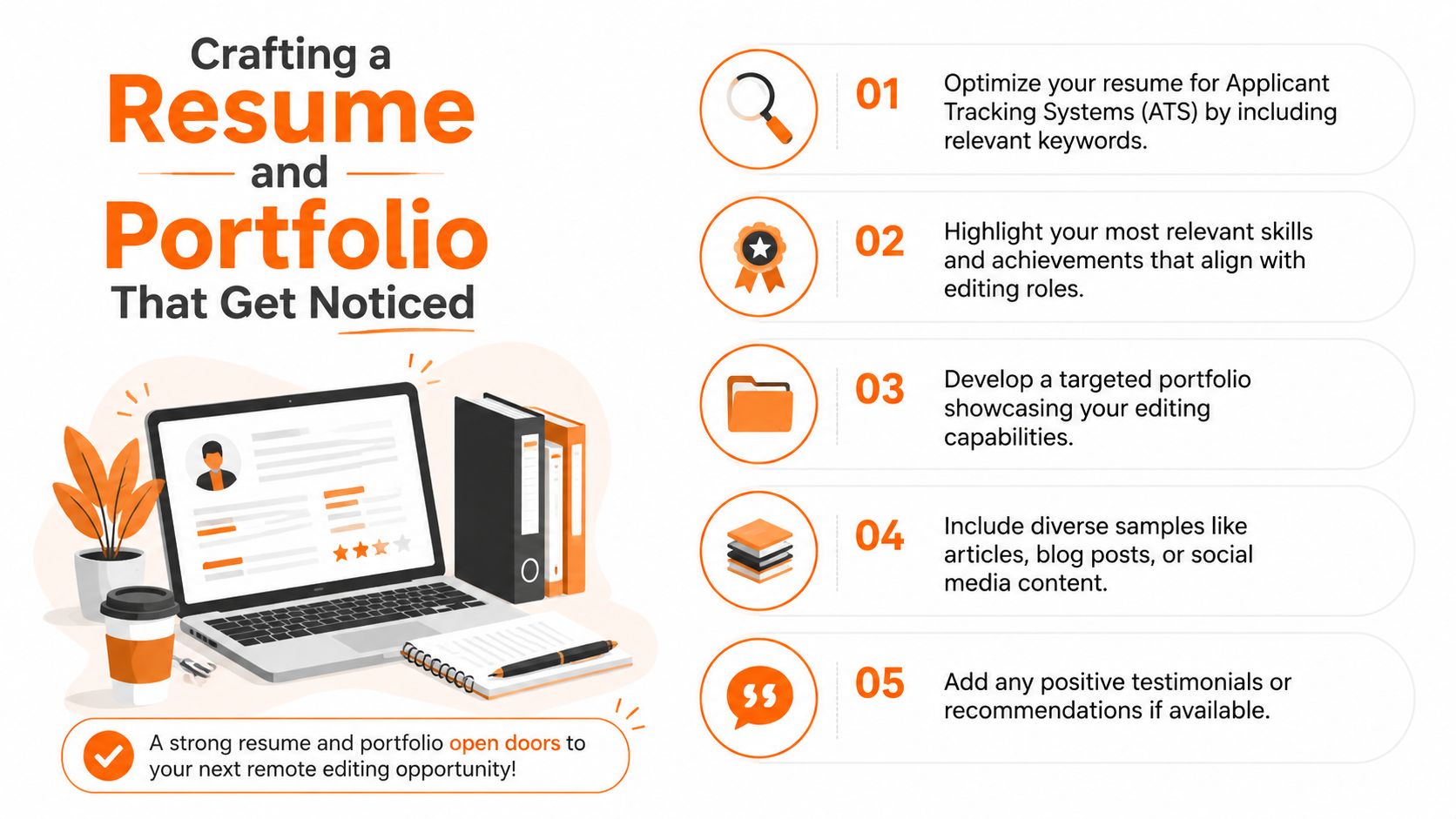
Crafting a Resume and Portfolio That Get Noticed
Your resume gets you considered. Your portfolio gets you believed.
That's the difference many first-time applicants miss. A resume can claim you're detail-oriented. A portfolio proves you know what to do with a messy paragraph, inconsistent tone, and unclear structure.
Make your resume readable by both ATS and people
Most entry-level applicants either write too generally or overstuff the page with buzzwords. Neither works. Your resume should mirror the language of the job description where it truthfully applies.
If a role asks for proofreading, copyediting, style consistency, version control, Google Docs, or Microsoft Word, use those exact terms when they match your experience. That helps with applicant tracking systems and also reassures the human reader that you understand the work.
A practical resource on this is how to beat ATS, especially if you're trying to understand how keyword alignment affects whether your application gets surfaced at all.
If you have little formal work history, structure matters even more. A guide like StoryCV's guide to student resumes can help you frame academic projects, campus work, internships, freelance tasks, and volunteer assignments so they read as evidence of responsibility rather than filler.
Here's what to emphasize when your background isn't “editor” on paper:
- Transferable precision work such as proofreading student publications, checking reports, formatting documents, or maintaining consistency in customer-facing material
- Deadline reliability from coursework, internships, admin support, or publishing schedules
- Written communication from email-based support, documentation, tutoring, or content work
- Revision handling from any role where feedback changed the final deliverable
Build a portfolio before someone asks for one
No portfolio is still a portfolio choice. It tells the employer they have to imagine your skills instead of seeing them.
Start with a small, deliberate set of samples. Three to five polished pieces are enough if each one shows judgment. The strongest entry-level portfolios don't try to look massive. They show range and control.
Good starter samples include:
- A blog post edit that improves clarity, transitions, and sentence flow
- A proofreading sample that catches grammar, punctuation, and consistency issues
- A marketing or web copy sample where you tighten wording without flattening the tone
- A before-and-after sample that shows exactly what changed and why
For each sample, include a short note on the editorial task. Was it proofreading? Light copyediting? A heavier line edit? Hiring managers appreciate clear labels because they show you understand scope.
Practical rule: Don't hide your process. Show comments, tracked changes, or an annotated explanation when appropriate.
That's especially important because remote editing work depends on visible collaboration. According to Wave's freelance editor guidance, using a dual-service approach of proofreading and copyediting helps entry-level editors build credibility and lowers initial rejection by giving clients an easier starting point before they trust you with deeper edits.
Use tools the way employers expect
Portfolio quality isn't only about the writing. It's also about file hygiene.
Remote editing teams expect you to:
- Work in Track Changes when the client needs review visibility
- Leave comments that explain reasoning without overexplaining
- Preserve the original file
- Return clearly named deliverables
- Avoid introducing formatting chaos
If you're making samples from public material or volunteer work, recreate the same professional conditions. Edit on a copy. Use comments sparingly and precisely. Save versions logically. Those habits show up in both your portfolio and your trial edits later.
What weak portfolios usually get wrong
A weak beginner portfolio often has one of these problems:
- It only shows polished final writing, not editing.
- It includes academic essays with no explanation of the editorial role.
- It mixes unrelated creative work that doesn't prove anything about revision skill.
- It lacks context, so the reader can't tell what problem was solved.
A strong one answers three questions fast: What was wrong? What did you change? Why was the result better?
Nailing the Remote Interview and Trial Edit
The interview matters. The trial edit decides a lot more.
Remote employers can teach a junior editor parts of their style guide. What they can't easily fix is sloppy process. If your trial edit arrives late, uses confusing filenames, or rewrites the piece without respecting instructions, your language instincts won't save you.
What remote interviews are really testing
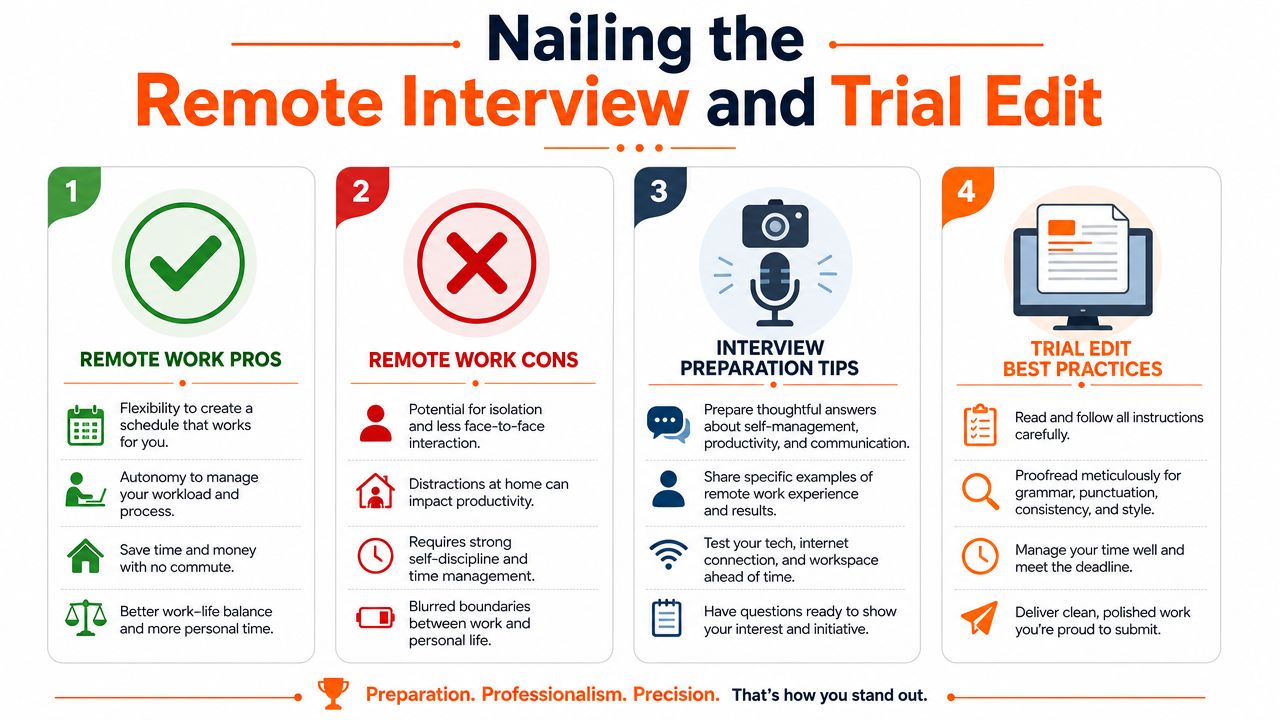
Most remote editing interviews aren't just assessing grammar. They're checking whether you can manage yourself without constant oversight.
Expect questions that probe these areas:
- Async communication and how you ask clarifying questions
- Feedback handling when an editor or manager disagrees with your changes
- Time management when deadlines overlap
- Focus and consistency in a home environment
- Tool fluency in Google Docs, Microsoft Word, comments, and shared workflows
A concise answer usually works better than a polished speech. Hiring managers want signs of judgment. If you can explain how you clarify scope, track revisions, and communicate blockers early, you already sound easier to work with than many candidates.
Treat the trial edit like paid client work
A trial edit is not a casual sample. It's the closest thing to watching you on the job.
Before touching the file, confirm:
| Question | Why you need it |
|---|---|
| What is the deadline? | So you can pace the work and avoid last-minute errors |
| What kind of edit is expected? | Proofreading, copyediting, or heavier restructuring require different judgment |
| Should all edits be visible? | Determines whether you should use Track Changes and comments throughout |
| Is there a style guide? | Prevents unnecessary “corrections” that clash with house style |
| What should the file be named when returned? | Shows workflow discipline immediately |
This isn't overkill. According to ITU Online's guidance on remote editing workflows, failing to establish a formal workflow around file naming, client request tracking, and version control can lead to a 20 to 30 percent increase in revision requests and project delays. That's exactly the kind of operational mess hiring teams try to screen out.
The candidate who clarifies scope before editing often looks more professional than the candidate who rushes to “finish fast.”
How to execute the edit cleanly
Start by duplicating the original file and working on the copy. That protects the source document and signals that you understand basic editorial risk control.
Then work in layers:
First pass for obvious errors
Catch spelling, punctuation, grammar, capitalization, and repeated words.Second pass for clarity
Tighten awkward sentences, remove clutter, and improve flow without changing the intended meaning.Third pass for consistency
Check headings, hyphenation, terminology, tense, and formatting choices.Final pass for restraint
Undo edits that are technically valid but unnecessary. New editors often over-edit to prove they're useful.
A good trial edit shows control. You're not trying to leave fingerprints on every line. You're trying to improve what needs improvement and leave what already works.
Here's a useful watch before you do your next test assignment:
What hiring teams notice immediately
They notice small things first.
- Filename clarity such as project-name_editor-name_date
- Comment quality that explains judgment without sounding defensive
- Instruction compliance above personal preference
- Pacing that allows enough time for a final review
- Professional tone in the handoff message
Send back “clean files” and “fast replies.” That combination earns trust faster than trying to sound brilliant in every comment.
If you disagree with the source text but the brief doesn't support a heavy rewrite, leave a comment instead of forcing the change. That shows editorial maturity. The strongest entry-level candidates don't just correct text. They respect scope.
Your Toolkit Pay Negotiation and Essential Remote Software
Once interviews turn into offers, you need two things: a realistic pay baseline and a tool stack you can use without friction.
The salary side matters because entry-level candidates often undersell themselves out of anxiety. The workflow side matters because remote editing work is software-heavy even when the actual task is language.
What the market pays
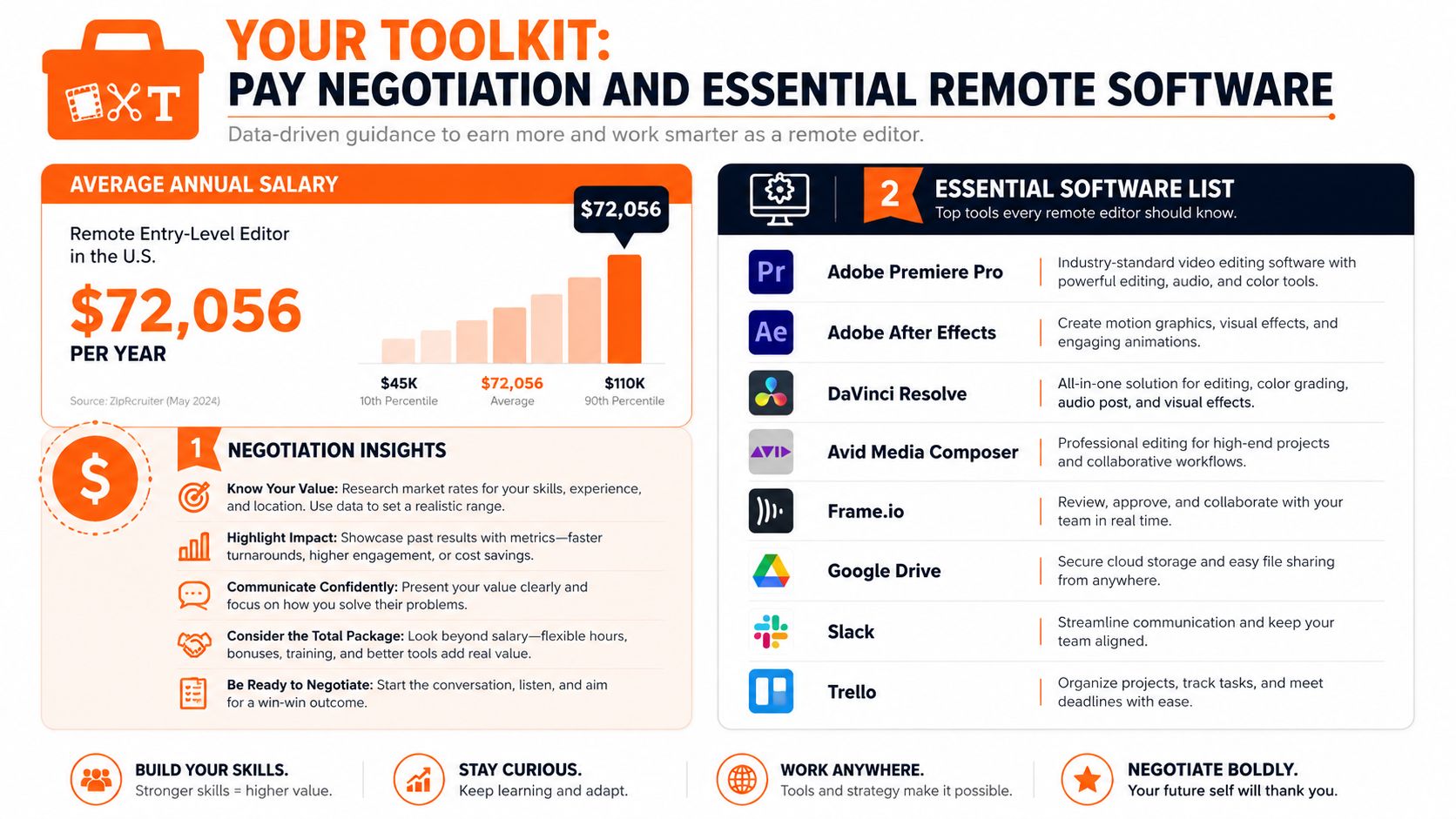
As of July 1, 2026, the average yearly pay for a remote entry-level editor in the United States is $72,056, with a median wage of $66,500, and most workers in the role earn between $49,500 and $94,000 annually, according to ZipRecruiter's remote entry-level editor salary data.
That range should reset your expectations if you've been assuming all entry-level editing work is low-paid. It also gives you a grounded way to evaluate offers. A lower offer might still make sense if the employer offers stronger mentorship, cleaner systems, or a better path to advancement. But you should know where the broader market sits before you accept quickly.
How to negotiate without overplaying it
At entry level, negotiation works best when it's calm and specific.
Try questions like:
- How do performance reviews work for junior editors?
- What does progression look like after the first review cycle?
- How is quality evaluated on this team?
- Is there flexibility in rate, equipment support, or training?
If the role is freelance or contract-based, it helps to understand how editing projects are commonly priced more broadly. For context on how editing services are scoped in adjacent markets, you can check BarkerBooks for editing costs. Not because book editing rates map perfectly to every remote role, but because it trains you to think in terms of scope, depth, and deliverables instead of just a vague hourly number.
The software you need to be comfortable with
You don't need a giant stack. You do need fluency in the tools commonly used in the industry.
| Tool | Why it matters |
|---|---|
| Google Docs | Real-time collaboration, comments, suggestions, shared access |
| Microsoft Word | Track Changes, formal editorial markup, client-standard document exchange |
| Slack | Async updates, quick clarifications, editorial handoffs |
| Asana | Task tracking, due dates, status visibility |
| Grammarly or ProWritingAid | Secondary error check, not a replacement for judgment |
The most valuable technical skill at this stage isn't “knowing lots of software.” It's knowing how not to create confusion inside common tools.
A practical starter list for distributed workflows is this roundup of tools for remote work. It's useful because editing doesn't happen in isolation. Files move through communication, task management, and review systems.
What not to rely on
Don't rely on AI writing assistants to make editorial decisions for you. They can catch surface errors and speed up checks, but they won't reliably preserve intent, tone, house style, or context. Human judgment is still the core product.
Don't rely on memory instead of process, either. Save versions cleanly. Track requests. Confirm scope. That's what keeps simple work from turning into messy work.
Your Remote Editing Job Launch Checklist
A remote editing search gets easier once it becomes routine. You're not trying to “feel ready.” You're trying to submit applications that show evidence, fit, and process.
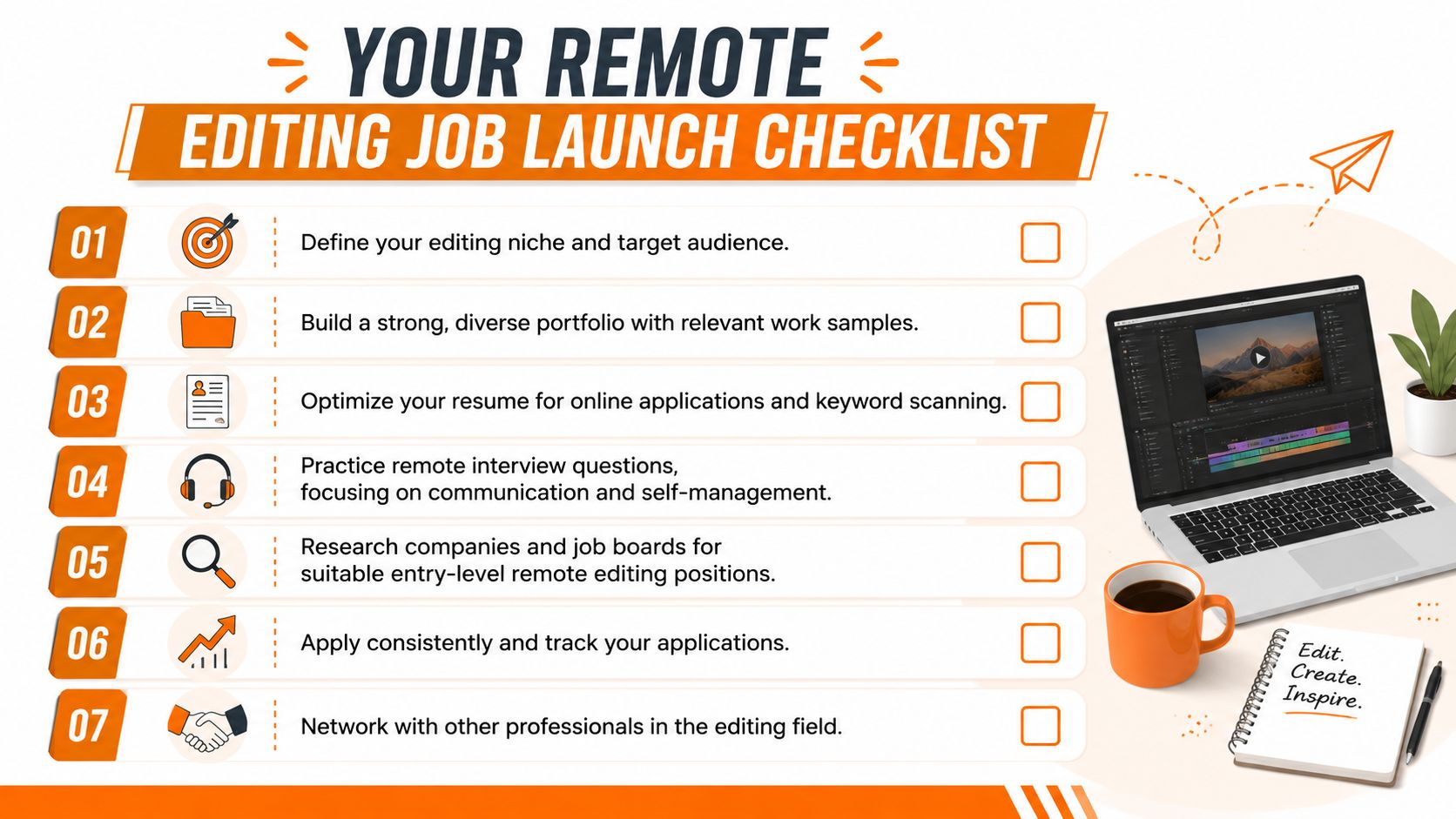
Use this as a working checklist:
Choose your lane
Decide whether you're targeting proofreading, copyediting, content review, or editorial assistant roles first.Create focused samples
Build a small portfolio that shows real editing decisions, not just finished writing.Tighten your resume
Match truthful keywords from each posting and highlight transferable experience that proves reliability.Prepare for trial edits
Practice editing on copies, using comments well, and returning clearly named files.Screen jobs for process quality
Favor listings that explain tools, scope, content type, and reporting structure.Track every application
Keep notes on titles, keywords, deadlines, samples, and follow-ups.Build professional habits early
Fast replies, clean files, clear questions, and restrained edits make a stronger impression than trying to look advanced.
The market for entry level editing jobs remote rewards people who can reduce ambiguity. If your application materials are specific, your samples are clean, and your trial edits feel easy to review, you'll stand out faster than candidates with stronger claims but weaker proof.
If you want one place to search remote roles and improve how you apply to them, YayRemote is worth using. It combines remote job listings with practical tools like an ATS Resume Checker and other application resources that help you tighten the part of the process most candidates leave too vague.