Legitimate Work From Home Chat Jobs: 2026 Guide
Find legitimate work from home chat jobs in 2026. Learn how to land roles on platforms like YayRemote, master essential skills, and avoid common remote scams.
You're probably looking for a remote job that feels calmer than a phone queue. No headset glued to your ear all day. No back-to-back calls where one difficult customer rolls straight into the next. Just focused written work, a stable schedule, and a real path into remote employment.
That's a reasonable goal. But work from home chat jobs aren't shortcut jobs. The legitimate ones are structured, monitored, and skill-based. Good employers hire for judgment, writing quality, speed, and the ability to manage several moving parts without sounding robotic or losing empathy.
That's also why chat can become a real career track. A first role might start in customer support, then branch into technical support, retention, sales chat, moderation, quality assurance, or team lead work. The people who do well usually stop treating “chat” like a format and start treating it like a professional customer-facing function.
The Rise of Work From Home Chat
A lot of job seekers start in the same place. They type something like “work from home chat no phones” into a search bar after a draining day, hoping there's a quieter option than call center work.
There is. But the reason it exists isn't just lifestyle marketing. It exists because remote work and customer behavior changed at the same time. By March 2025, 22.8% of U.S. employees were working remotely at least part of the time, equal to more than 36 million people, and 53% of U.S. online adults used live chat to get help from a company according to remote work and chat usage data compiled by WorkTime.
That combination matters. Businesses no longer need a physical support floor to serve customers, and customers no longer see chat as a secondary option. For many companies, chat is now part of the front line.
Practical rule: If customers want fast written help and companies can staff remotely, chat stops being a side channel and becomes an operating model.
This is also why the field is broader than many people expect. Some teams use chat for service recovery. Others use it for product questions before purchase. Some blend bot triage with human handoff. If you want a quick overview of how companies think about using live chat to boost leads, that framing helps explain why remote chat roles often sit close to both support and revenue.
The mistake I see most often is treating chat work like a low-friction version of customer service. It isn't. It's customer service, sales, or moderation delivered in writing, with fewer pauses and a permanent written record of every reply.
That's good news if you're willing to train for it. Skilled chat professionals are useful, portable, and easier to place across distributed teams than many people realize.
The Four Main Types of Work From Home Chat Jobs
The term work from home chat jobs covers very different roles. If you apply to all of them with the same resume, your applications will blur together.
The cleaner approach is to choose a lane first. Customer support, technical support, sales chat, and moderation all use similar tools, but the goals are different. That changes what hiring managers care about.
Customer support chat
This is the typical role involved when someone says they want a chat job. You answer billing questions, order issues, account access problems, shipping concerns, returns, and general product questions.
What matters here is tone, speed, and consistency. Employers want someone who can stay calm in writing, follow process, document the conversation correctly, and know when to escalate. Consumer demand supports this track. 41% of consumers prefer live chat support, and adding live chat can increase conversion rates by 12% according to Help Scout's live chat statistics roundup.
If you're coming from retail, hospitality, reception, front desk work, or phone support, this is often the easiest transition.
Technical support chat
Technical support chat looks similar on the surface, but the work is more diagnostic. You're not just reassuring the customer. You're narrowing the issue, reproducing it, checking known fixes, and gathering useful details for escalation.
This role suits people who like systems and pattern recognition. Strong writing still matters, but clarity matters even more. A vague sentence can send a customer down the wrong path fast.
A common mistake is assuming technical chat requires a formal tech background. Some roles do. Others care more about troubleshooting discipline, comfort with internal knowledge bases, and the ability to explain steps clearly.
Sales chat
Sales chat is often overlooked by job seekers who search only for support roles. That's a miss. Many companies staff live chat before purchase, during trial periods, or at checkout because chat can move hesitant buyers toward action.
In these interactions, your tone has to be both helpful and commercially aware. You're qualifying, recommending, handling objections, and guiding the customer without sounding pushy. If you want to understand how outsourced teams structure this function, CallZent gives a useful market view of the kinds of live chat support businesses buy.
Sales chat rewards people who can read intent quickly. A customer asking “Does this integrate with X?” may need a short product answer, or they may be one message away from converting.
Content and community moderation
Moderation roles sit under the same “chat” umbrella in many searches, but the work is different enough to treat separately. You may review user-generated content, enforce community rules, respond to user appeals, and document violations.
This work can be emotionally heavier than support. It also demands consistency. A moderator who applies rules unevenly creates trust problems for both users and the platform.
People with backgrounds in customer operations, trust and safety, education, or community management often fit well here. You'll need steady judgment more than sales instinct.
Comparison of Work-From-Home Chat Roles
| Role Type | Primary Goal | Key Skills | Success Metric |
|---|---|---|---|
| Customer Support | Resolve customer issues clearly and efficiently | Written communication, empathy, process adherence, de-escalation | Resolution quality and customer satisfaction |
| Technical Support | Diagnose and solve product or account problems | Troubleshooting, precision, documentation, tool fluency | Accurate resolution and useful escalation notes |
| Sales Chat | Help visitors become buyers | Product knowledge, objection handling, fast qualification, persuasive writing | Conversion and qualified sales conversations |
| Content or Community Moderation | Keep platforms safe and enforce standards | Judgment, policy interpretation, consistency, documentation | Safe community operations and accurate enforcement |
The label “chat job” hides the real question. Are you resolving, diagnosing, persuading, or policing?
If you don't have direct experience yet, narrow your search by matching your background to one lane. Someone with restaurant and retail experience usually has stronger support instincts than technical instincts. Someone who has handled software onboarding might fit technical support or sales engineering-adjacent chat. Someone from online communities may fit moderation.
And if you're starting from zero, it helps to review examples of adjacent work from home customer service jobs with no experience so you can translate your existing experience into the right category instead of applying blindly.
Essential Skills and Tools for Chat Professionals
The fastest way to get rejected is to present yourself as someone who “likes typing” and “prefers not to be on the phone.” Hiring managers hear that every day.
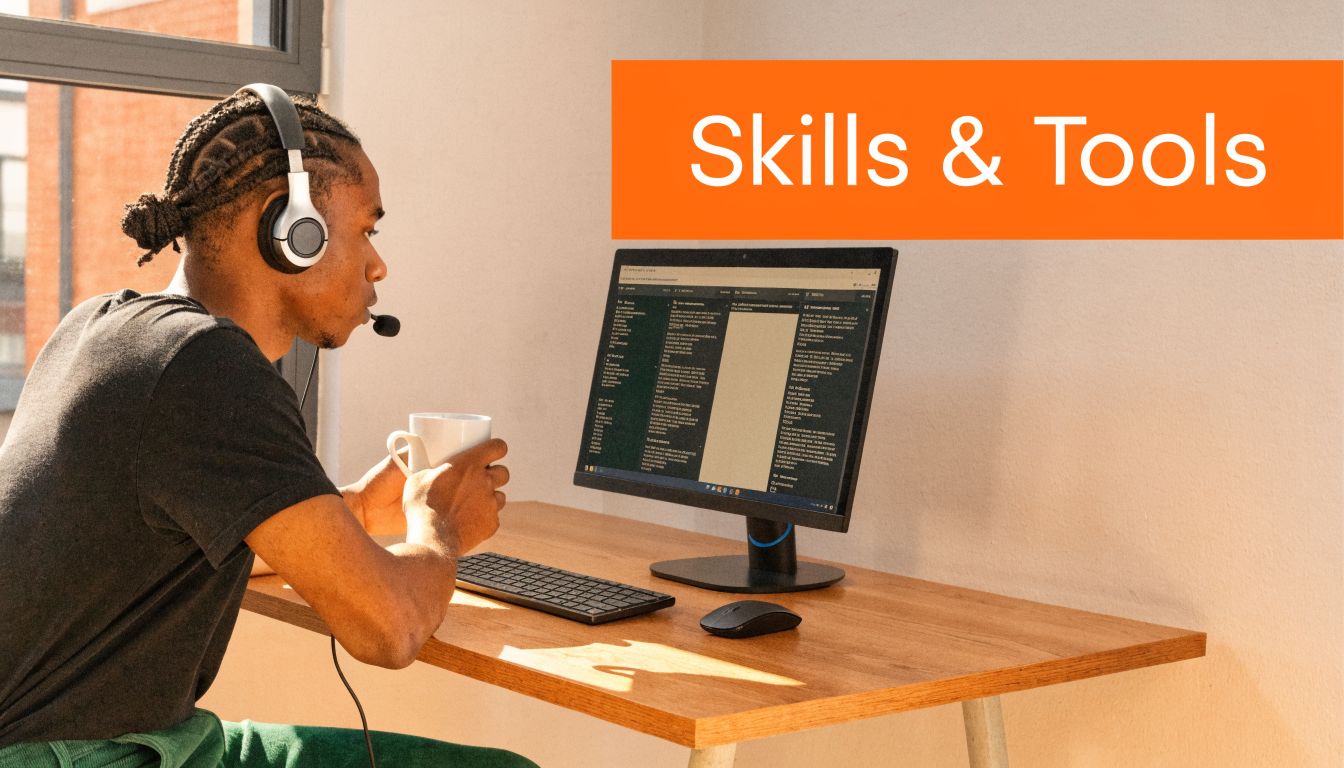
They're looking for someone who can handle concurrent conversations, write clearly under pressure, and work inside systems without falling behind. Remote chat support is operationally demanding, and one agent may handle several conversations at once. Familiarity with platforms such as Zendesk, LiveChat, and Intercom is a competitive advantage, as noted by Virtual Vocations' guide to remote chat support jobs.
The soft skills that actually get tested
You won't usually be hired because you say you're “a people person.” You'll be hired because your written communication shows control.
Focus on these:
- Written clarity: Short sentences. Correct grammar. No rambling. Customers should know what to do after one read.
- De-escalation in writing: You need to lower tension without sounding scripted. That means acknowledging the issue, setting expectations, and moving the case forward.
- Multitasking: Chat work punishes drift. If you lose track of one conversation while responding to another, response times slip and mistakes multiply.
- Judgment: You need to know when to solve, when to reassure, and when to escalate.
A lot of candidates underestimate written empathy. On chat, the customer can't hear your tone. You have to create it with word choice and structure.
Hiring signal: Clear, calm writing in your application is treated as work sample evidence.
The tools that make you employable
You don't need mastery of every platform before you apply. You do need enough familiarity to sound credible and trainable.
Start with this tool stack:
- Help desk platforms: Zendesk, Intercom, LiveChat
- CRMs and customer context tools: systems that show account history, notes, tags, and previous interactions
- Internal communication tools: Slack and shared channels for coordination
- Knowledge bases: internal docs, macros, saved replies, and policy references
If you want to strengthen your written side before applying, these practical tips on how to improve communication skills are directly relevant to chat hiring.
A simple home practice routine works well. Take a real customer complaint from a company review site, rewrite a response in under five minutes, then tighten it to make it shorter and clearer. Do that repeatedly and your instincts improve fast.
What doesn't work
Some candidates lean too hard on personality. Others memorize canned “customer service” language that reads like copied training material.
Avoid these habits:
- Overexplaining: Long answers slow resolution and frustrate customers.
- Sounding robotic: If every response feels templated, trust drops.
- Tool avoidance: Saying “I can learn any software” is weaker than showing you've already explored the common ones.
- Messy remote habits: Late replies to teammates, poor documentation, and weak handoffs will get noticed quickly.
The strongest applicants look coachable, precise, and operationally steady.
How to Find Legitimate Work From Home Chat Listings
You find a posting for a “remote chat agent” role that promises fast hiring, flexible hours, and high pay. Ten minutes later, you still cannot tell whether the job is customer support, sales chat, or moderation. That is usually the first warning sign.
Good searches start with role clarity. “Chat jobs” are not one category. Support teams handle troubleshooting and account issues. Sales chat teams qualify buyers and move conversations toward revenue. Moderation and trust-and-safety teams review user behavior, enforce policy, and document decisions carefully. Search with the actual function in mind, because legitimate employers hire for those tracks separately.
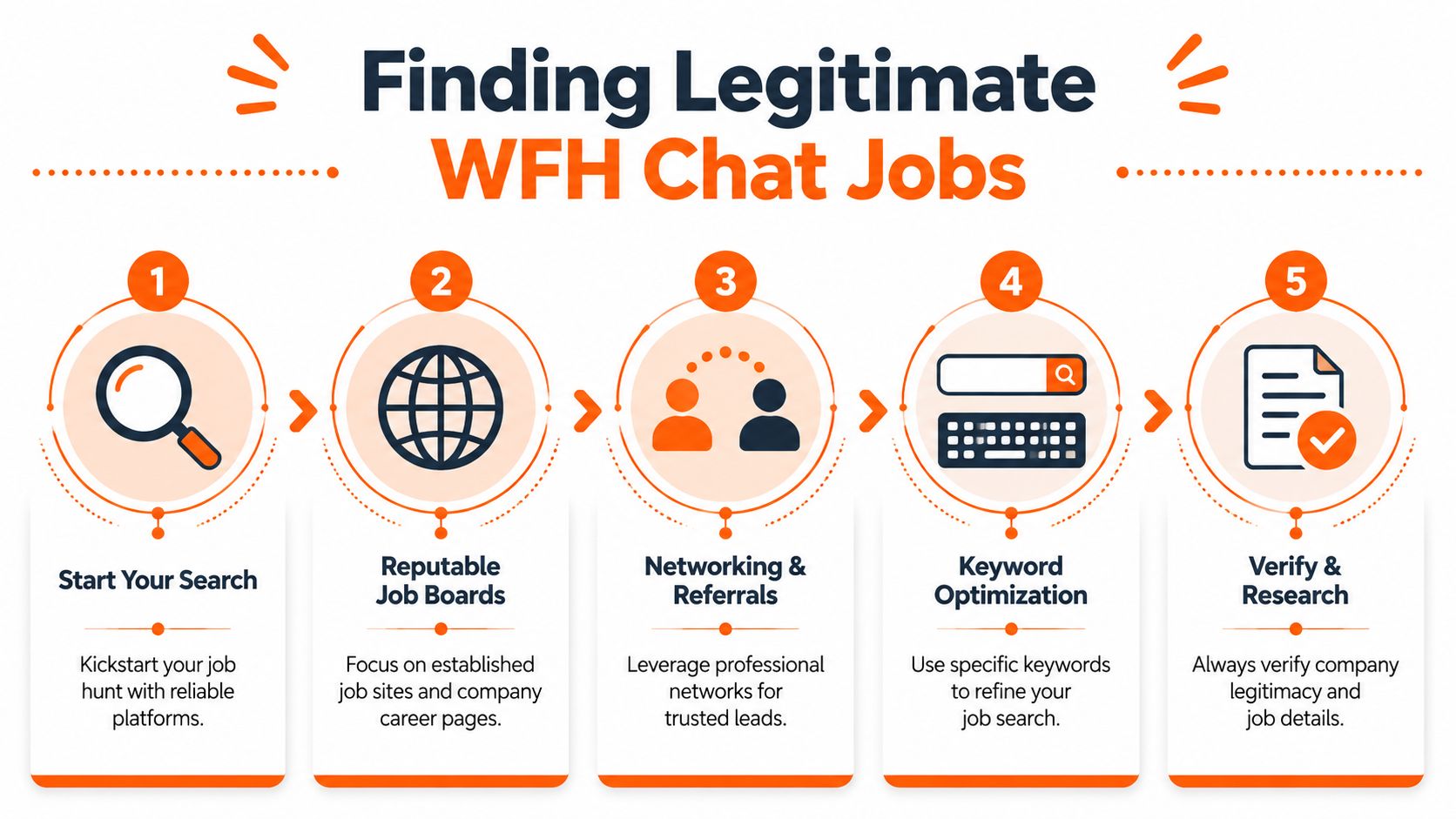
Start with the visual workflow below, then use it as a checklist while you search.
Start with better search locations
General job boards can still produce good leads, but they take more screening work. Direct company career pages and remote-focused boards usually give cleaner results because the employer has already defined the role and hiring process.
Use a mix of sources:
- Remote job platforms with filters for function, schedule, and experience level
- Company career pages for ecommerce, SaaS, fintech, healthcare, education, and marketplace companies that already support customers online
- Professional networks where employees sometimes share openings before they get buried on large job boards
YayRemote is one example of a remote job board that collects openings from distributed companies and lets candidates sort by job type and experience level. That can save time if you want fewer unrelated listings in your search results.
Search with job-specific terms
A vague search pulls in vague listings. Scammers know that people search phrases like “chat job no phone,” so they target those terms heavily.
Use search phrases tied to real work:
- Customer support chat remote
- Live chat agent remote
- Remote technical support chat
- Customer service representative chat remote
- Remote community moderator
- Trust and safety specialist remote
- Sales chat specialist remote
- Intercom support specialist remote
- Zendesk support remote
Once you find a company name, verify the opening on the employer's own careers page. If the role exists only on a third-party board and nowhere on the company site, treat it carefully.
The video below gives extra context on remote job search mechanics and can help if your search process has felt scattered so far.
Vet the role before you apply
Strong listings explain how the work fits into the business. Weak ones sell convenience first and hide the job itself.
Check for details like these:
- Clear responsibilities: supporting customers, qualifying leads, reviewing content, documenting cases, escalating issues
- Named tools: Zendesk, Intercom, Salesforce, Kustomer, CRM systems, ticket queues, internal chat platforms
- Team context: customer support, customer success, retention, sales operations, moderation, trust and safety
- Hiring process: company email domain, careers page, application questions, interviews that match the role
- Pay and scheduling specifics: hourly or salary range, shift expectations, weekend coverage, metrics, training period
I also tell new applicants to read the language closely. A support listing should mention resolution, tickets, empathy, and documentation. A sales chat listing should mention conversion, pipeline, lead qualification, or product recommendations. A moderation role should mention policy enforcement, review accuracy, and escalation procedures. If the posting mixes all three without explaining priorities, the employer may not understand the role they are hiring for.
One more practical check helps. Open the company's website and test its customer experience. If it offers live chat, review the tone, speed, and complexity of the support flow. That gives you a realistic sense of whether the company runs a structured support operation or just wants cheap labor.
If a posting is vague about the work, vague about the company, and very specific about how fast you'll “start earning,” skip it.
Apply selectively. A focused list of real employers beats fifty rushed applications to mystery listings. Once you have a shortlist, prepare for the next step by reviewing advice on creating a standout cover letter.
Crafting a Winning Application for Chat Jobs
Most chat applications fail for one reason. The candidate applies as if they're asking for a lifestyle change, not proving they can do the work.
Employers already know many applicants want a no-call remote role. That doesn't separate you. What separates you is evidence of written communication, conflict handling, tool familiarity, and the ability to stay organized in customer-facing workflows. Indeed's career guidance notes that these roles often require strong writing, conflict resolution, and experience with help-desk tools, and that a strong application needs to prove those skills rather than just a desire for “no calls,” as explained in Indeed's overview of work from home chat jobs.
Build resume bullets around chat behaviors
If you have direct chat experience, make it obvious. If you don't, translate related work into chat-relevant skills.
Good bullet points sound like this:
- Resolved customer issues across high-volume digital channels while maintaining a professional, calm tone
- Handled sensitive billing and account questions with strong attention to accuracy and documentation
- Used ticketing and customer record systems to track cases, update notes, and escalate complex issues
- Supported customers in fast-paced service environments where multitasking and quick written responses were required
- De-escalated frustrated customers by clarifying next steps, setting expectations, and following through
If you have retail or hospitality experience, don't undersell it. The strongest transfer points are usually complaint handling, policy explanation, checkout or billing issues, and staying composed under pressure.
Write a short intro that sounds employable
Your opening message or mini-cover letter should be brief. Chat hiring managers don't need a long personal story.
Use a structure like this:
I'm applying for your remote chat support role because my background aligns with the day-to-day demands of written customer service. I've handled customer questions, resolved problems under pressure, and worked within structured systems where accuracy and responsiveness mattered. I'm comfortable learning tools such as Zendesk or Intercom, and I focus on clear, calm communication that helps customers move forward quickly.
That's enough. It identifies fit, names the function, and sounds like someone who understands the job.
If you need help creating a standout cover letter, use that kind of resource to tighten structure and wording, but keep the final version grounded in your actual experience.
Prepare for the real interview, not the polite one
A lot of chat interviews include a practical test. You may be asked to respond to mock customer messages, rewrite a clumsy answer, or explain how you'd handle several conversations at once.
Practice these scenarios before you apply:
- Angry customer message: Write a response that acknowledges the issue, avoids defensiveness, and gives the next step.
- Policy limitation: Explain a company rule clearly without sounding cold.
- Incomplete information: Ask for missing details efficiently.
- Escalation decision: Explain when you'd stop troubleshooting and pass the case upward.
One useful exercise is to time yourself. Give yourself a few minutes to answer a short customer message, then revise for clarity. The first draft usually reveals whether you overwrite, under-explain, or miss the actual question.
Your application is already part of the test. If your resume, message, and email replies are sloppy, employers will assume your customer chat will be sloppy too.
What hiring managers notice fast
They notice these details before they notice your enthusiasm:
- Formatting: Clean resume, readable spacing, no walls of text
- Language control: No typo clusters, no awkward phrasing, no strange capitalization
- Role alignment: Support application for support jobs, moderation application for moderation jobs
- Professional maturity: No obsession with “no phones,” no focus on convenience over service
If you want your first legitimate work from home chat job, your application needs to sound like you're ready to join an operation, not just escape one.
Red Flags to Avoid Work From Home Scams
Remote chat job scams target exactly the people who most want these roles. Career switchers. Parents re-entering the workforce. People burned out on phone jobs. Applicants who need something flexible and quick.
That's why you need a hard filter.

The warning signs that matter most
A legitimate employer may move quickly. A scammer usually tries to remove friction entirely.
Watch for these red flags:
- They ask you to pay first: Training fees, software fees, equipment deposits, certification charges
- They only use personal email or messaging apps: Professional hiring usually runs through a company domain and a structured process
- They skip normal interviews: No live conversation, no practical screening, no explanation of team structure
- They sound vague about the work: Lots of income promises, very little operational detail
- They pressure you to act immediately: Urgency is a common tactic when the goal is to stop you from verifying anything
A real company wants to reduce hiring risk. A scammer wants to reduce your thinking time.
What a normal hiring process looks like
Legitimate hiring for chat roles usually includes some combination of application review, recruiter screening, manager interview, writing sample, chat simulation, or tool discussion. The process may be simple, but it should still feel professional.
Look for:
- Official communication: Company email, named employees, real website, clear role title
- Role context: Team name, manager relationship, expected schedule, core tools
- Reasonable screening: Questions about writing, customer handling, remote workflow, and systems
- Direct application path: Either a company ATS or a reputable listing source that points back to the employer
If you want a deeper checklist, this guide on fraud work from home jobs is worth reviewing before you send applications.
If a company trusts you with customer conversations, it won't hire you through a process that feels secretive, sloppy, or strangely rushed.
Scam avoidance isn't separate from your job search. It is part of your job search.
Launching Your Remote Chat Career
A legitimate work from home chat career starts when you stop chasing the vaguest listings and start targeting the right track. Support, technical chat, sales chat, and moderation all reward different strengths. The strongest candidates build the right skills, learn the common tools, apply with evidence, and protect themselves from bad listings.
Treat chat like skilled remote operations work, because that's what it is. If you do that, your search gets clearer, your applications get stronger, and your chances improve.
If you're ready to look for real remote roles instead of sorting through low-quality listings, browse YayRemote to find distributed job opportunities, compare remote companies, and build a more focused search around the kind of customer-facing work you want.